
Everything DIGIfolio does, in one place.
This page is written for buyers and evaluators. It covers every module, how the data connects, the dashboards and reports, roles, security, plans and what it takes to get started. Looking for how-to guides inside the app? Visit the help center.
What DIGIfolio is
DIGIfolio is a multi-tenant SaaS platform for product and technology portfolio management. It replaces the spreadsheets, slide decks and disconnected trackers that most teams use to run their portfolio with one set of connected records.
Those records cover what you build (products, capabilities, features), why you build it (sales and digital opportunities), when it lands (roadmaps), what it costs and returns (budgets and value types), who it is for (accounts, contacts, contracts) and what could stop it (dependencies). Dashboards and reports read straight from the records, so there is nothing to rebuild each month.
In one sentence: DIGIfolio connects what you build, what it costs and what you sell, with a standard process underneath so the numbers mean the same thing in every team.
Who it is for
DIGIfolio is built for organizations that build or run technology products and need sales, delivery, finance and leadership to work from the same facts. Typical users:
| Role | Who | Dashboards they use most |
|---|---|---|
| Sales | Sales leaders and sellers | Pipeline, Activity, Contracts |
| Marketing | Product and growth marketing | Pipeline, Funding & Value, Delivery |
| Go-to-Market | GTM and revenue operations | Pipeline, Delivery, Contracts |
| CIOs | Chief Information Officers | Budget, Funding & Value, Delivery |
| CTOs | Chief Technology Officers | Delivery, Budget, Pipeline |
| Vendor Management | Vendor and supplier management | Contracts, Budget, Activity |
| Project Managers | Project managers and delivery leads | Delivery, Activity |
| Program Managers | Program and portfolio managers | Delivery, Budget, Funding & Value |
| Technology Strategy & Implementation | Directors and VPs of Technology Strategy & Implementation | Funding & Value, Budget, Delivery, Pipeline |
How the data connects
Every record in DIGIfolio can link to the records around it. Links are real relationships, not copied text, so they stay correct when something is renamed. This is what lets a single opportunity show its product, budget, roadmap, contract and people on one page.
A typical chain: an opportunity is approved, it is funded by a budget, delivered through roadmap items that build features of a product, for an account under a contract, and it depends on a vendor or another team. When a link in that chain is missing, the record page says so.
Product catalog
The catalog is the shared vocabulary for everything else. It holds:
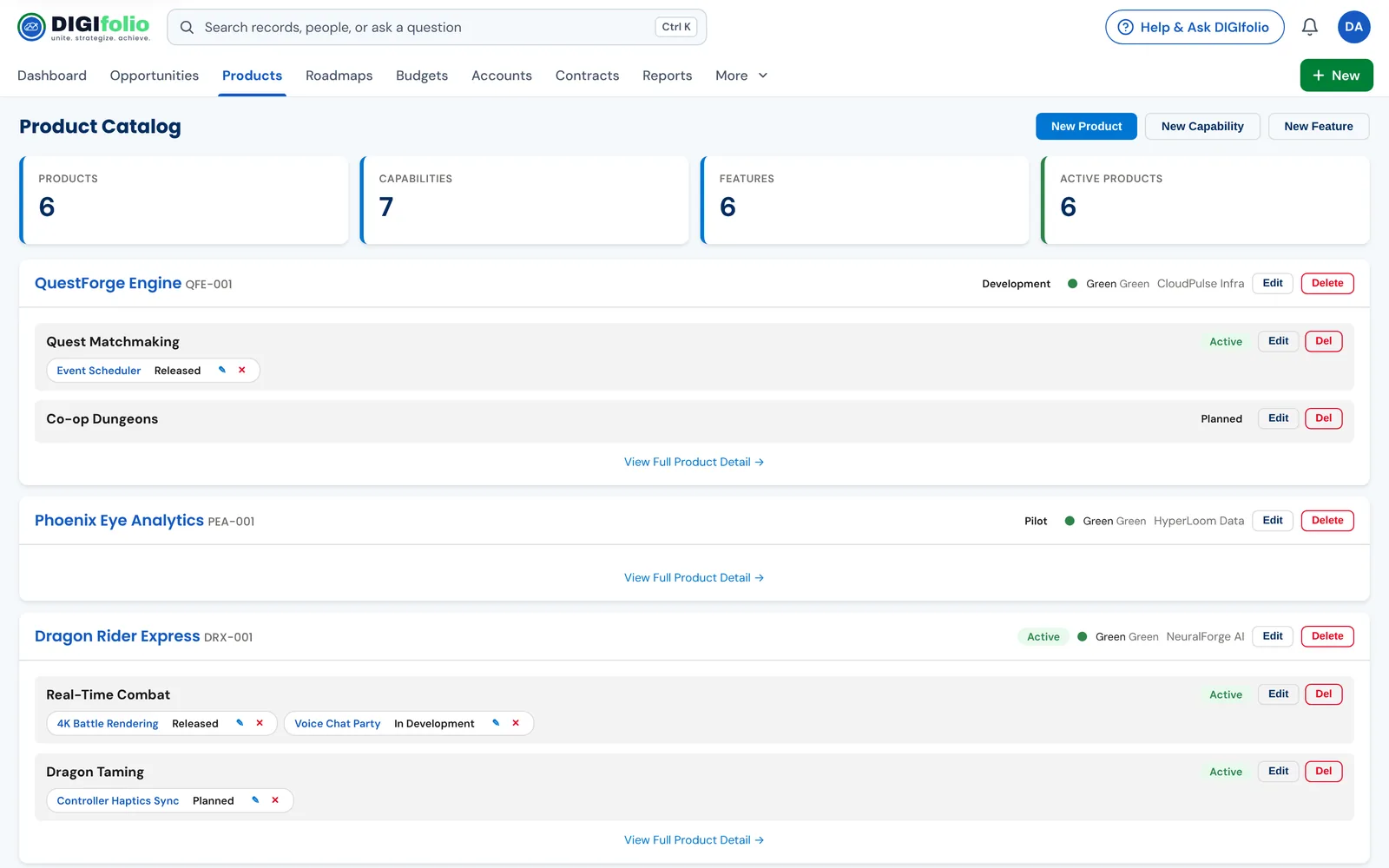
- Products: the offerings in your portfolio, with code, stage, health, owner and description.
- Capabilities: the broad functional areas a product supports. Define once, link to any product that delivers it.
- Features: the specific deliverables inside a capability, with status (for example Planned, In Development, Released) and priority.
The catalog page shows totals for products, capabilities, features and active products, then each product with its capabilities and features nested underneath. Each product has its own record page showing linked roadmaps, budgets, opportunities and capabilities.
Opportunities
Opportunities capture demand. DIGIfolio separates two kinds so you can see why work is happening:
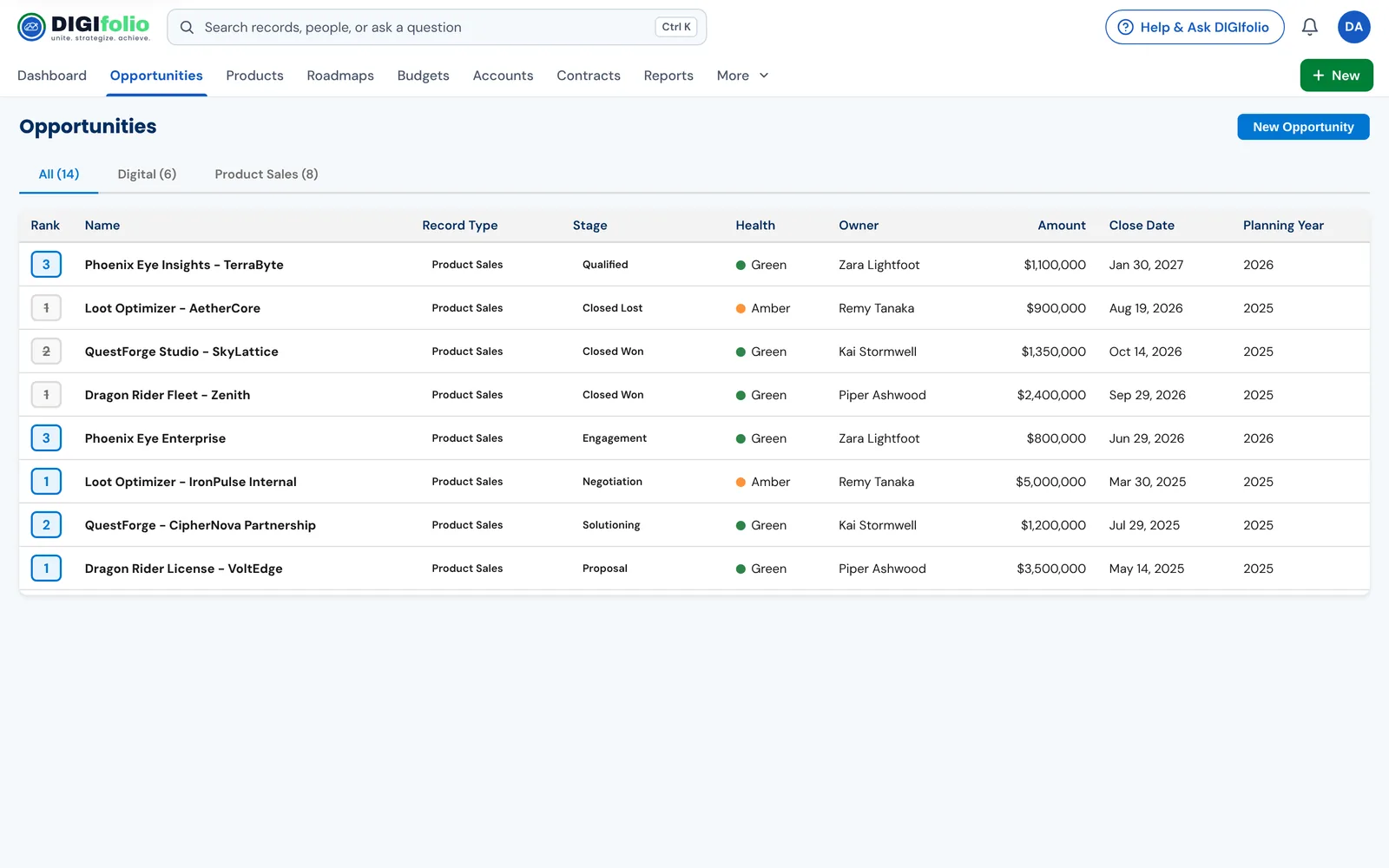
- Product Sales: revenue opportunities with account, amount, probability and close date. Default stages run Engagement, Solutioning, Proposal, Negotiation and on to closed won or lost.
- Digital: internal or customer-requested work that needs investment. Stages run New, In Progress, Approved, Start, Investigation, Design/Build, In Development, UAT, Production, Launch, Support, Completed, or Not Moving Forward.
The list view shows both types together or filtered by type, with stack rank, health, owner, amount, close date and planning year. Stack rank lets you order opportunities by priority and move them up or down.
Record pages
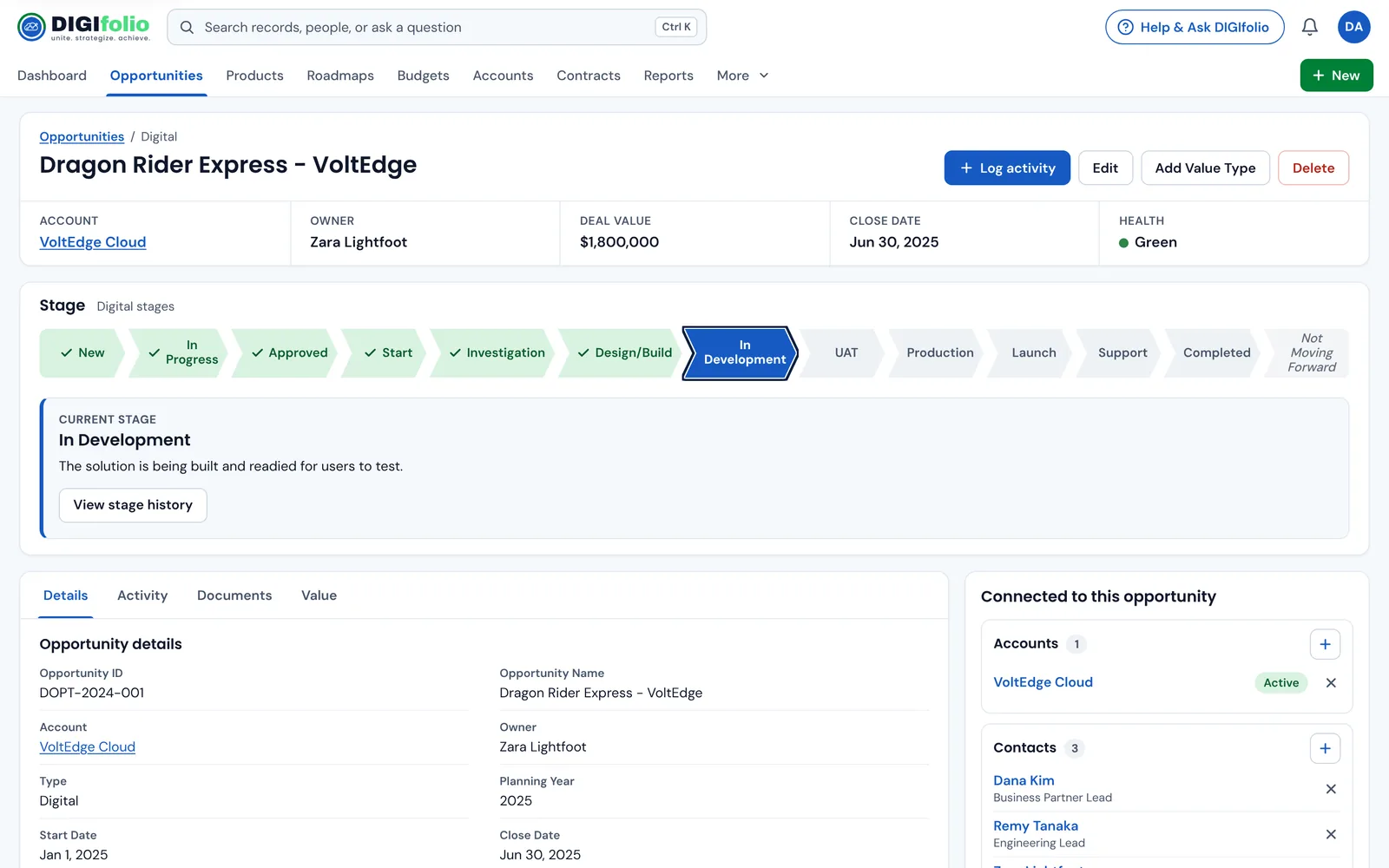
Opportunities, products, accounts, contracts and budgets open in a full record page built the same way:
- Key facts across the top: account, owner, value, close date, health.
- Clickable stage tracker: move a record by clicking the next stage. Each stage has guidance text. Stages your admin marks as needing approval send a request to a Manager, who approves or rejects with a note.
- Stage history: who moved it, when and from where.
- Tabs for Details, Activity, Documents and (on opportunities) Value.
- Connected panel on the right: every linked account, contact, product, roadmap item, budget and contract, with one click to add or remove a link.
- Gaps: missing links in the chain, such as an approved opportunity with no budget, are called out.
Roadmaps
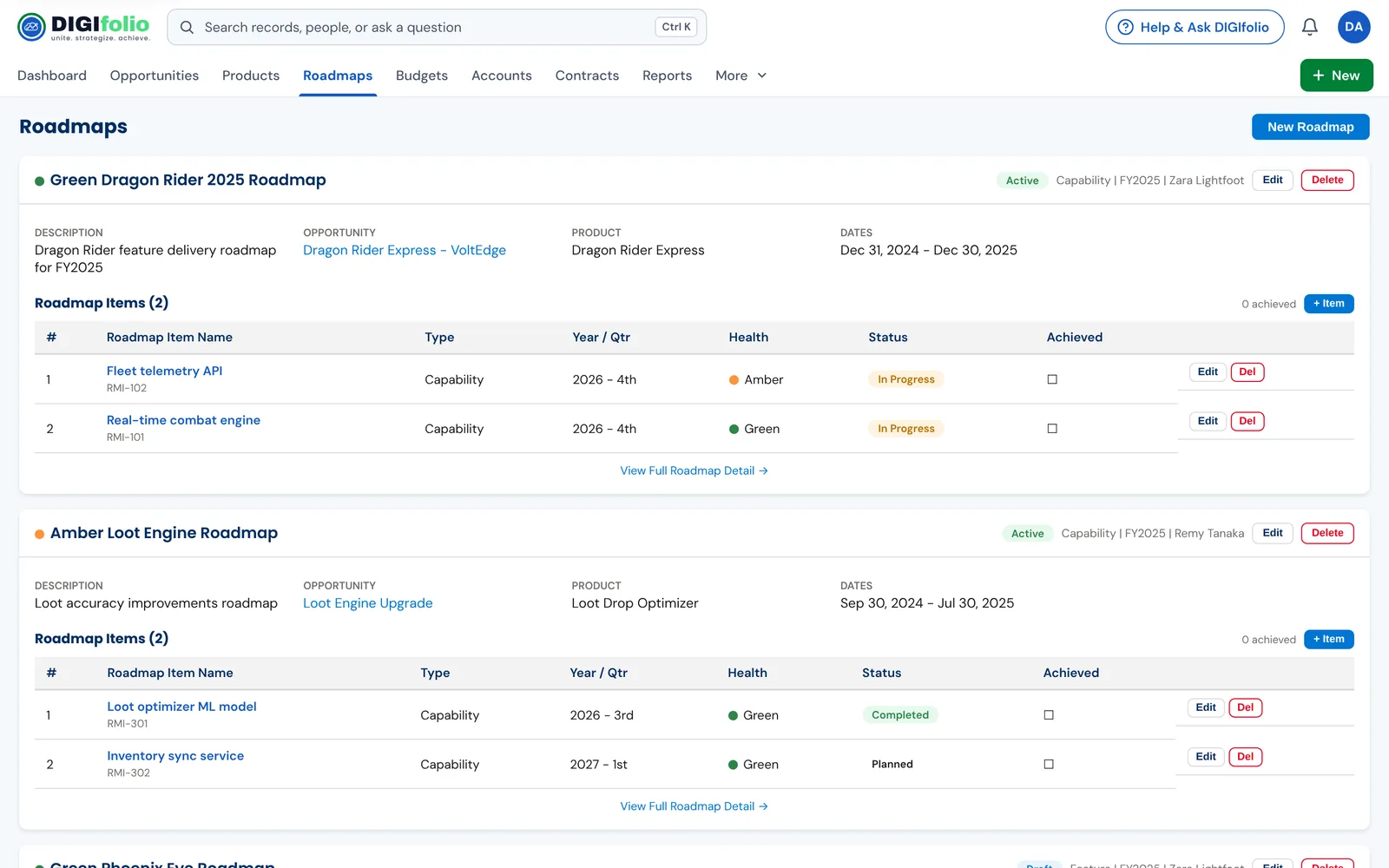
A roadmap is a named plan, usually for a product, opportunity or release, with an owner, status, dates and capability. Roadmap items are the deliverables inside it, each with type (capability, feature, release), year and quarter, health, status, priority and planned and actual delivery dates. Items link to features, budgets and opportunities, which is what connects strategy to execution.
Budgets, funding & value
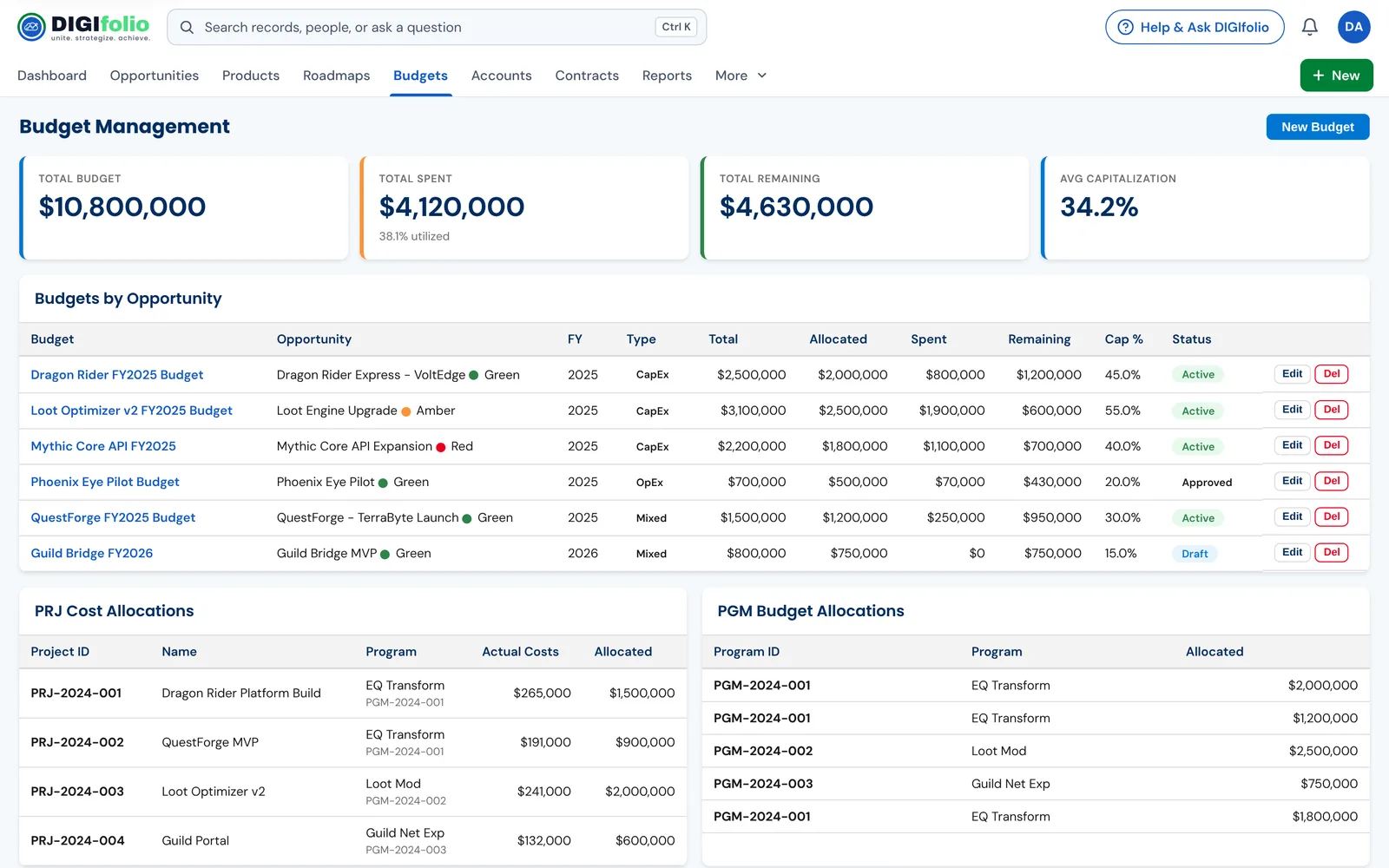
Budgets record the money: name, fiscal year and period, type (for example CapEx, OpEx or mixed), total, allocated, spent and remaining, capitalization percentage and status from Draft through Approved, Active and Closed. Budgets link to opportunities and products, and the budget page also shows project cost allocations and program budget allocations.
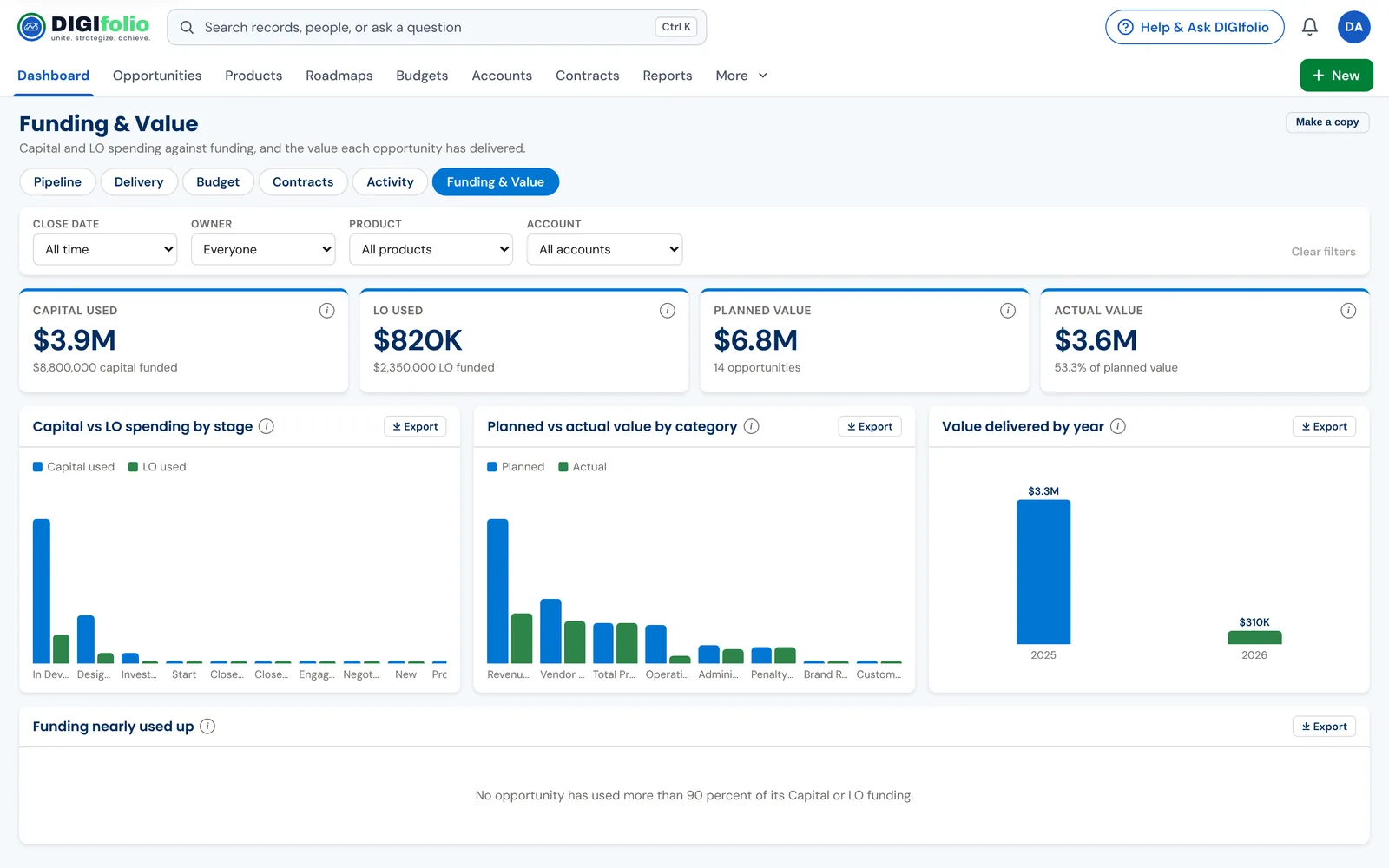
Value types record the return: planned and actual value for each opportunity by category, year or quarter. Together with capital and LO spend, they feed the Funding & Value dashboard so spend and return are reported side by side.
Programs & projects
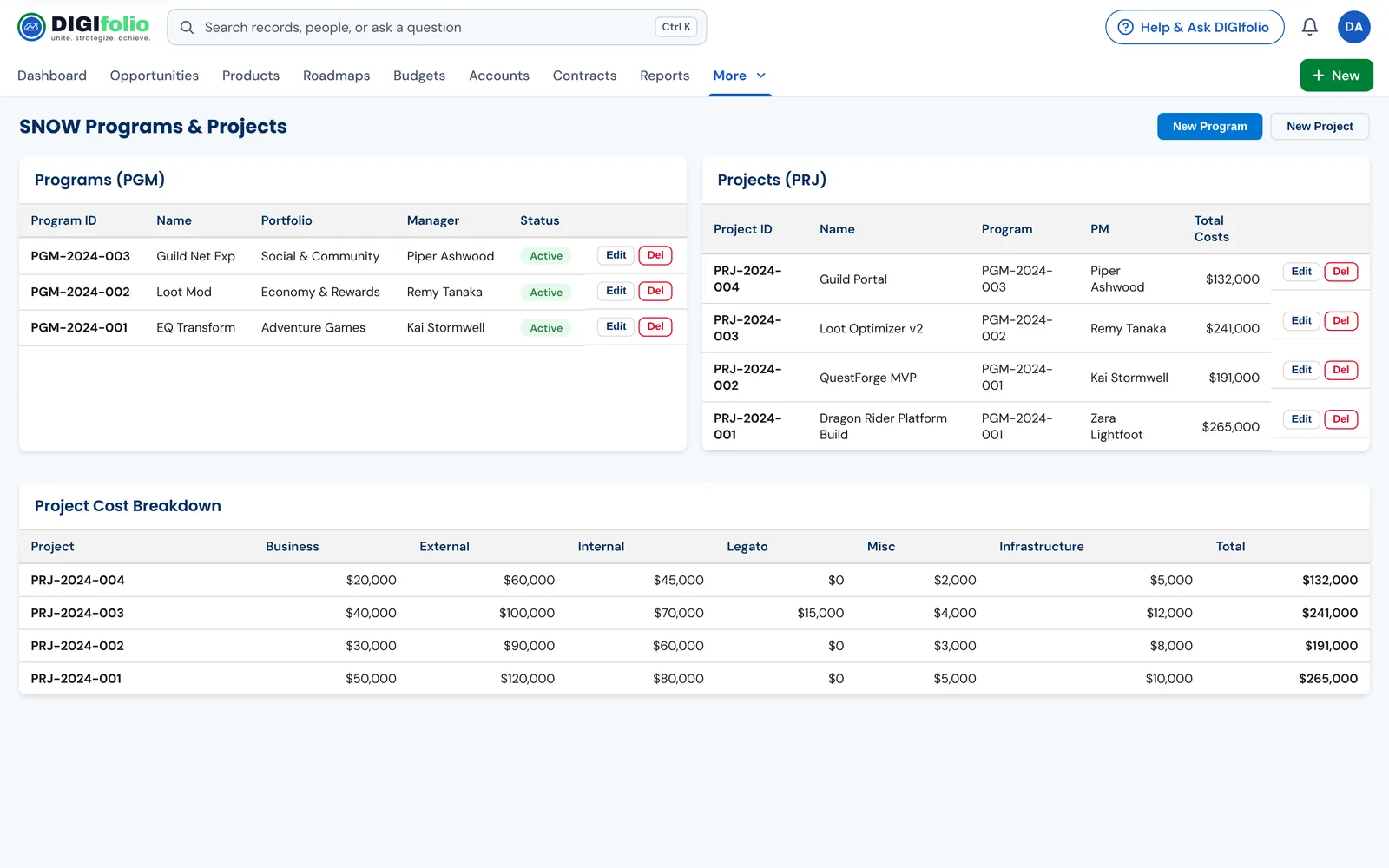
Programs group related projects. Each program has a portfolio, manager and status. Each project has a program, project manager and total cost, plus a cost breakdown by category. Projects and programs can receive budget allocations, so you can trace money from program to project.
Dependencies
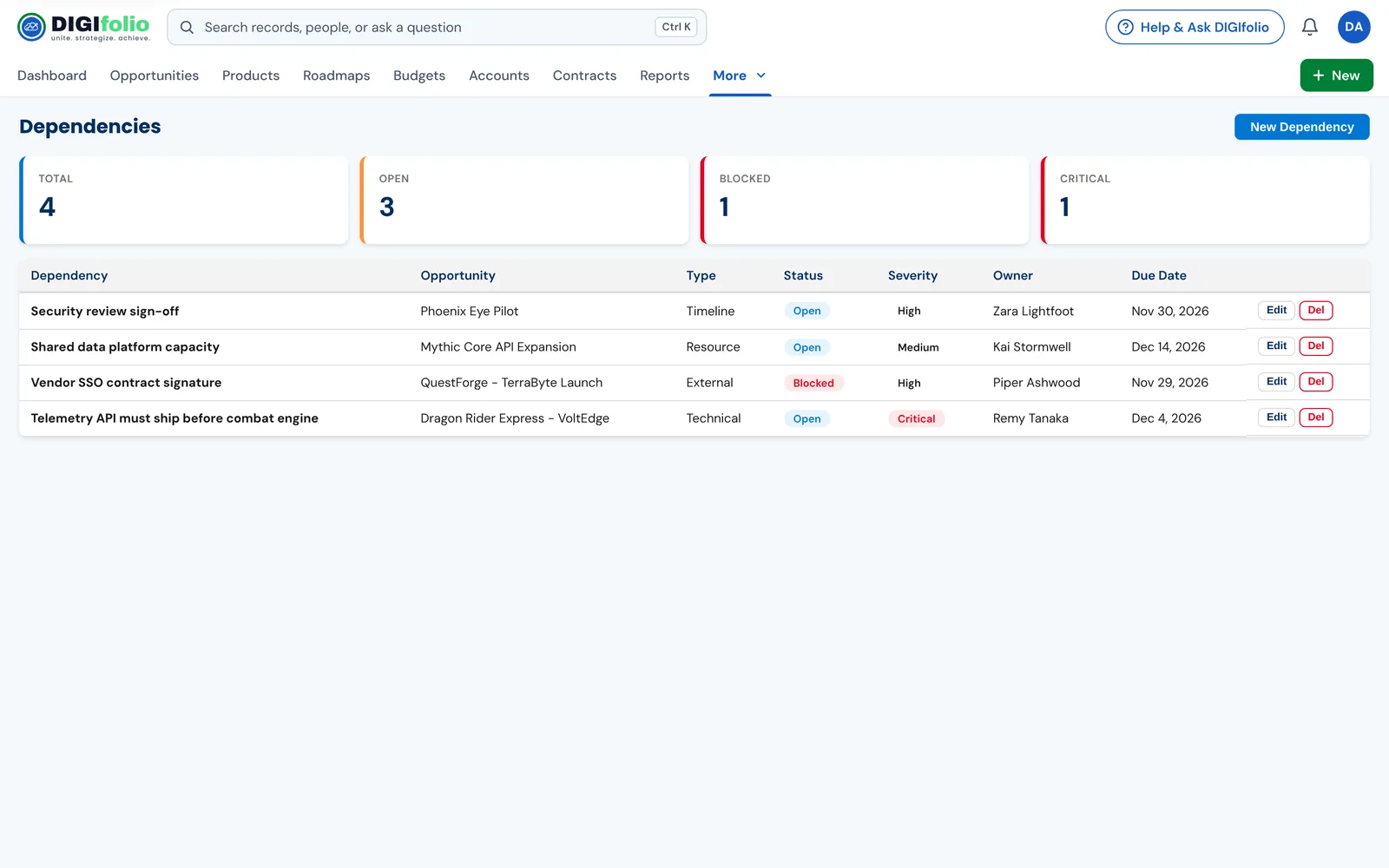
Dependencies record what an opportunity relies on: the type (Technical, Resource, Budget, External, Timeline, Other), status (Open, In Progress, Resolved, Blocked, Overdue), severity (Critical to Low), owner and due date. Totals for open, blocked and critical dependencies sit at the top of the page.
Accounts & contacts
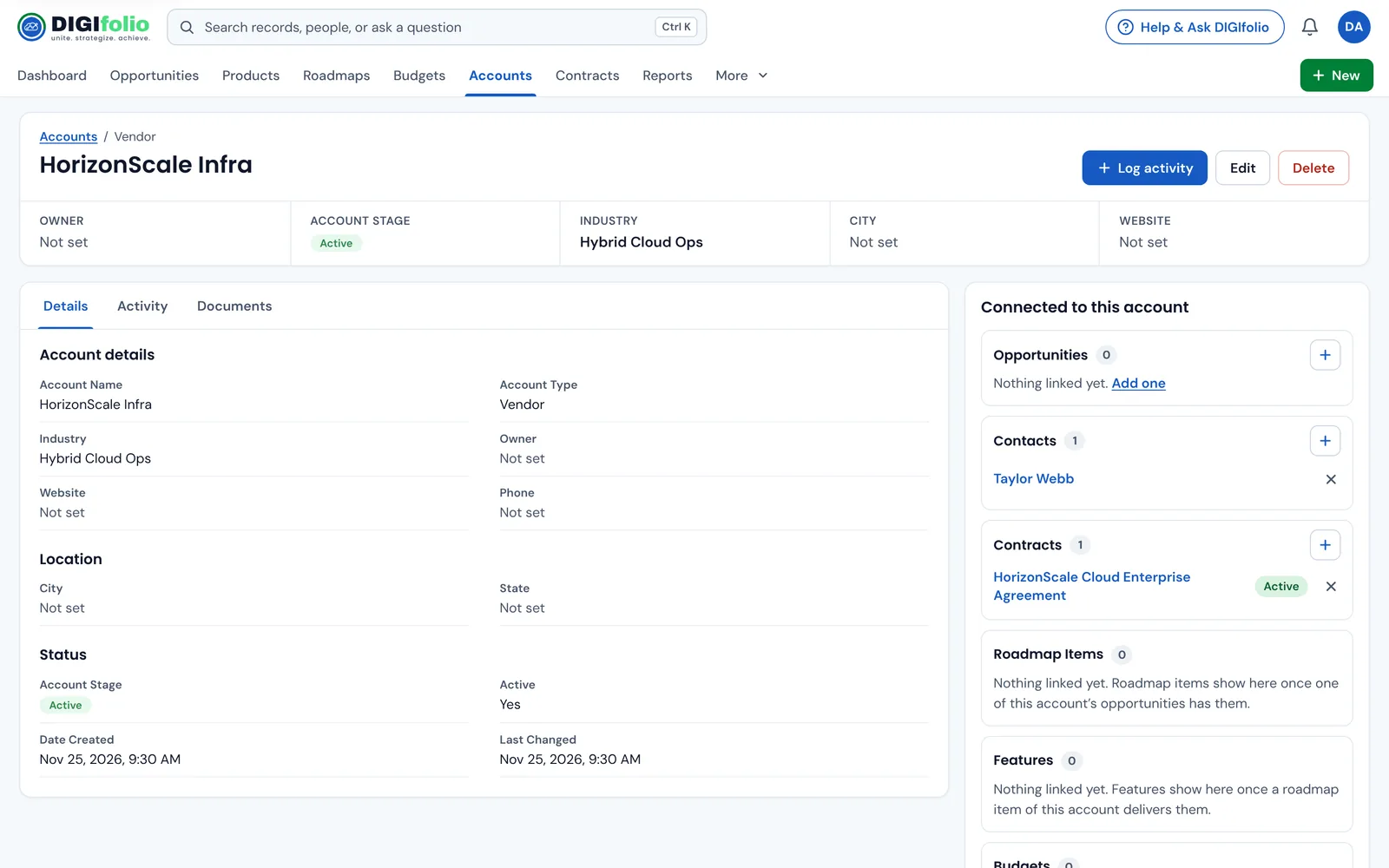
Accounts are the organizations you work with: customers, vendors, partners, ecosystem members, service providers and internal teams. Each has industry, stage and status. The account page shows its opportunities, contacts, contracts and the roadmap items and features being delivered for it.
Contacts are the people, linked to an account with title, department, role and contact details. Contacts can be linked to opportunities with a role such as business partner lead or engineering lead.
Contracts
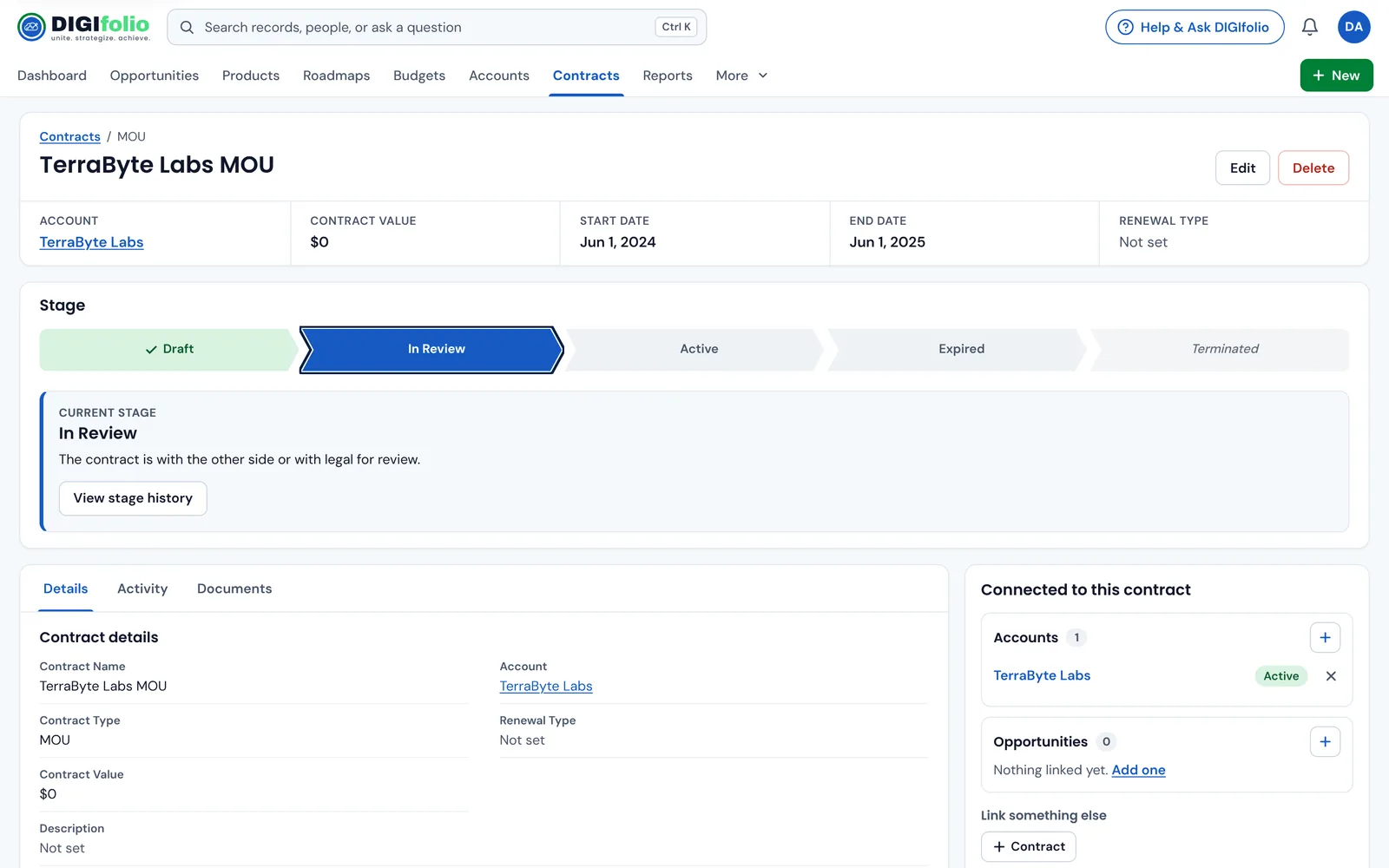
Contracts hold the formal agreements: account, type (for example MSA, MOU, NDA), value, start and end dates, renewal type and status. Contracts have their own stage path (Draft, In Review, Active, Expired, Terminated), documents tab and links to the opportunities they cover. The Contracts dashboard lists everything expiring in the next 90 days.
Activities & tasks
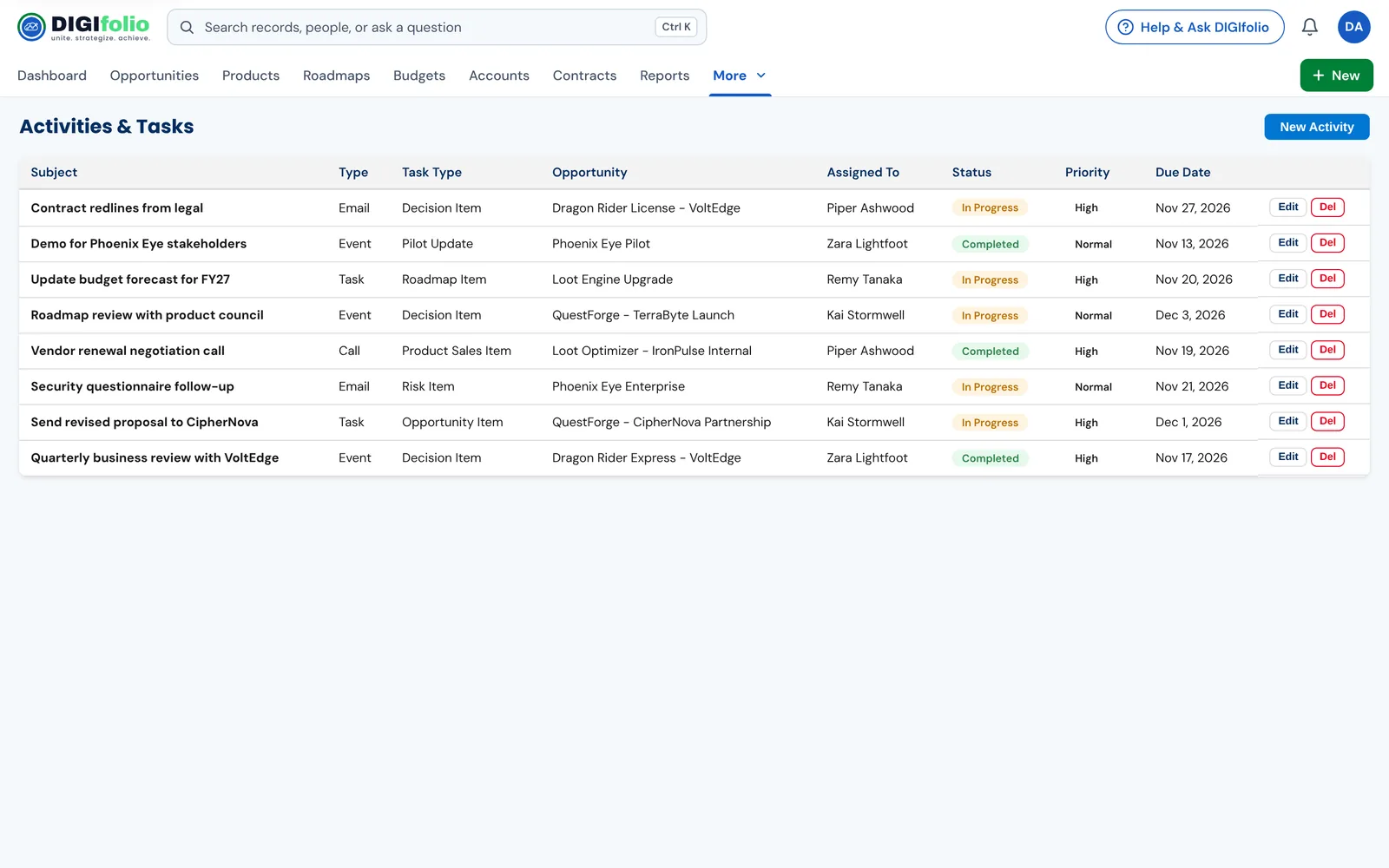
Activities are tasks, calls, emails and events linked to an opportunity or account, with an assignee, status, priority and due date. Task types cover common portfolio work such as decision items, dependency items, risk items, roadmap items and pilot updates. Overdue tasks appear on the Activity dashboard.
Ready-made dashboards
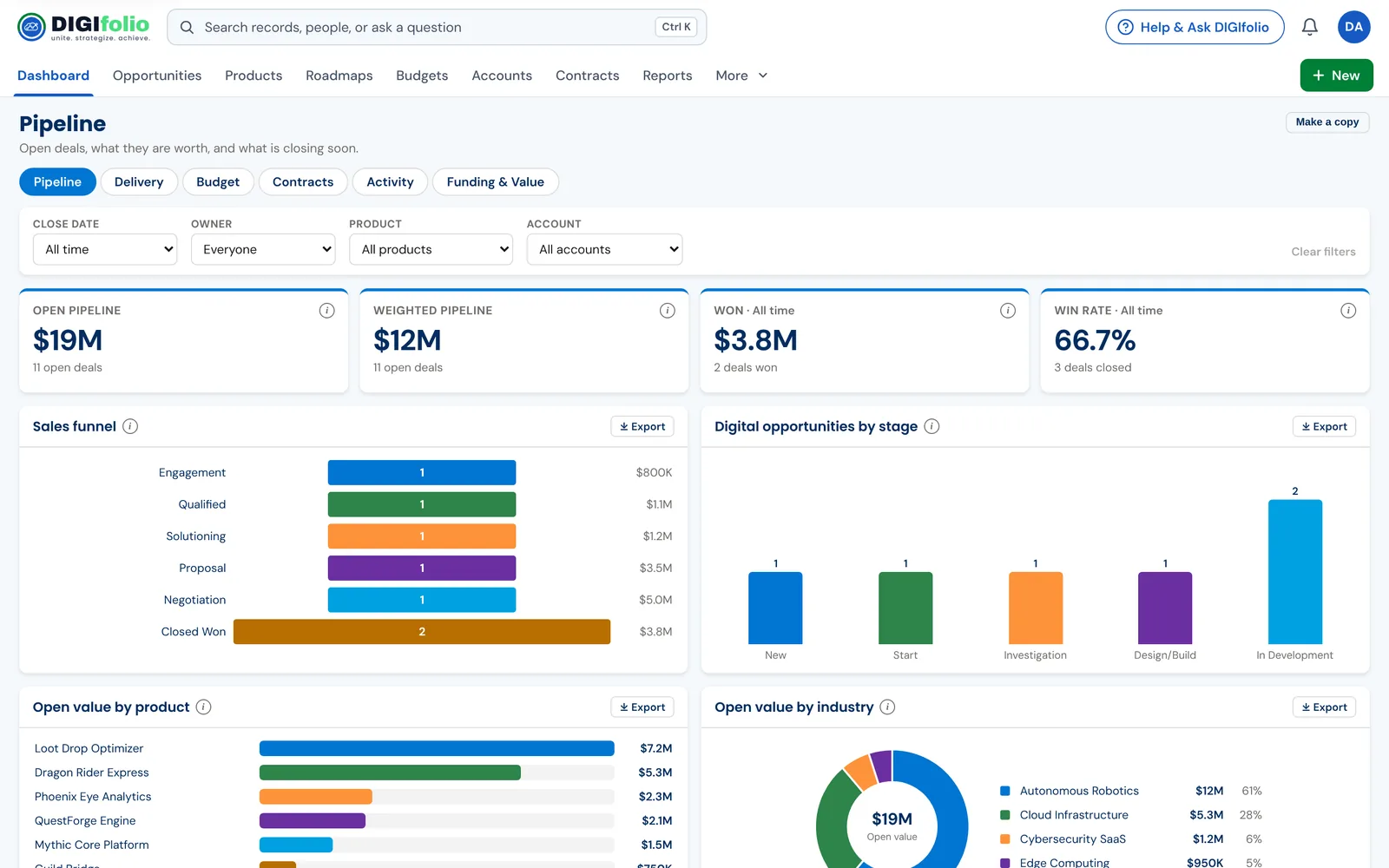
Six dashboards are ready the moment a workspace is created. Each has filters at the top (dates, owner, product, account), headline numbers with an explanation icon, and charts you can click to see the records behind them.
| Dashboard | Answers |
|---|---|
| Pipeline | Open and weighted pipeline, won value, win rate, sales funnel, digital opportunities by stage, open value by product and industry, deals closing soon. |
| Delivery | Roadmap items in progress, overdue, due in 30 days and completed; items by status, priority and roadmap; overdue list. |
| Budget | Allocated, spent, remaining and percent used; spend against allocation by product and fiscal period; budgets over 90 percent used. |
| Contracts | Active contracts and value, expiring in 90 days, contracts by type and renewal type. |
| Activity | Logged in the last 30 days, open and overdue tasks, activities by type and by owner. |
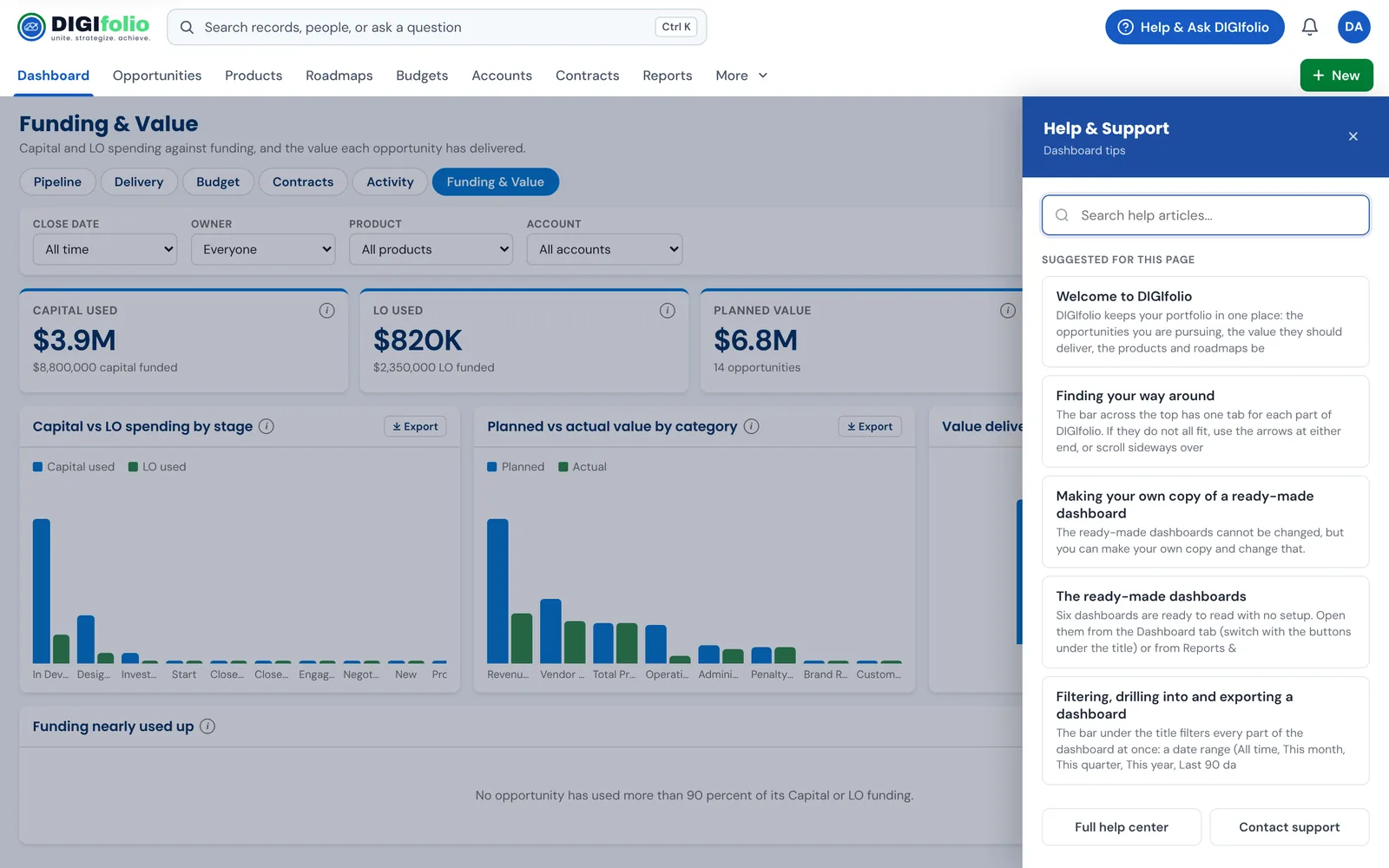
| Funding & Value | Capital and LO used, planned and actual value, spend by stage, planned against actual by category, value delivered by year. |
Every widget can be exported to CSV (opens in Excel). Make a copy turns any ready-made dashboard into your own version that you can change.
Reports
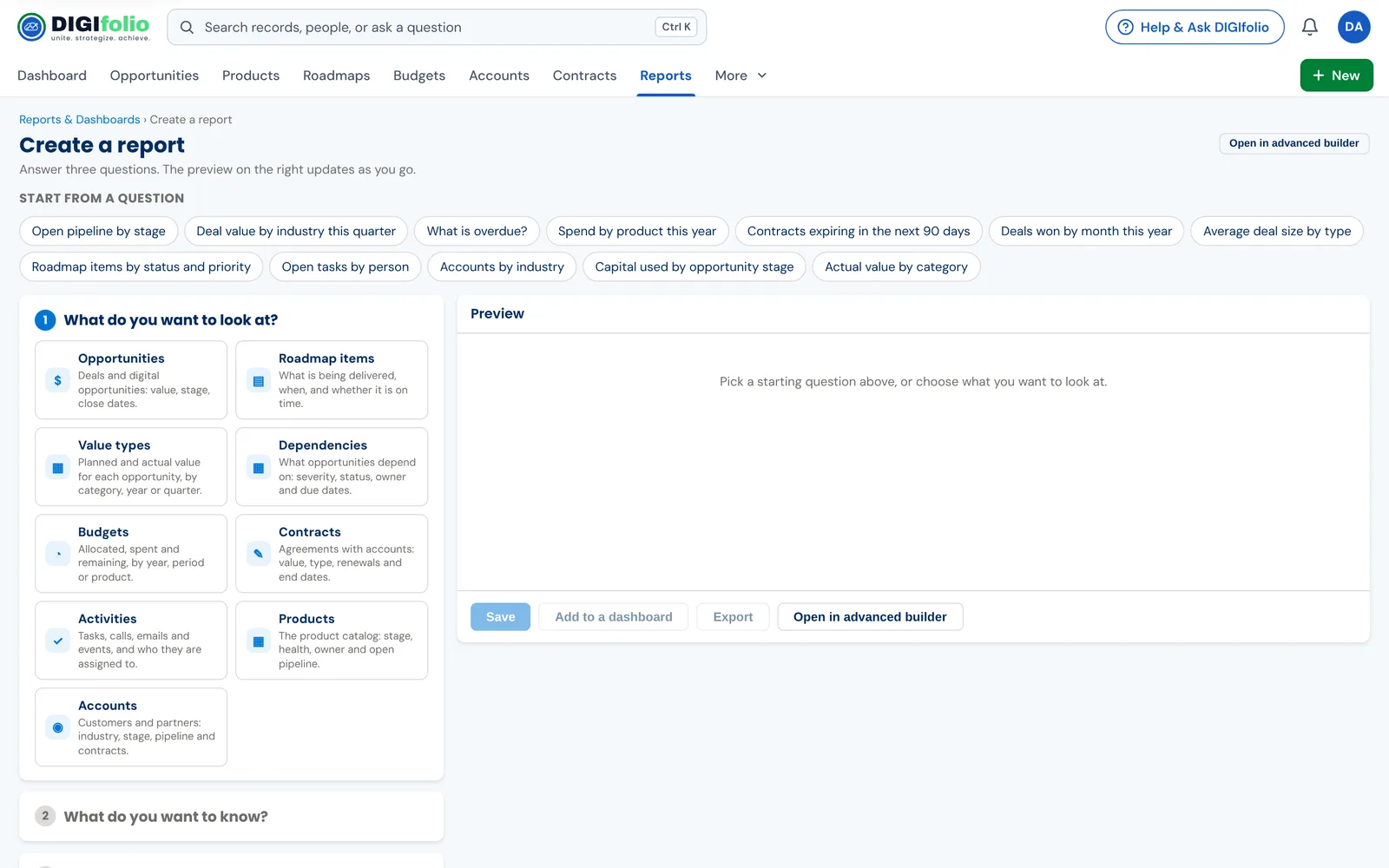
The Reports & Dashboards area has three parts: the ready-made dashboards, a guided report builder, and your saved reports.
- Start from a question. Common questions such as "Open pipeline by stage", "What is overdue?", "Contracts expiring in the next 90 days" or "Actual value by category" build a report in one click.
- Answer three questions. What do you want to look at (opportunities, roadmap items, value types, dependencies, budgets, contracts, activities, products, accounts), what do you want to know, and for which records. The preview updates as you go.
- Describe it in plain words. Where your admin has turned it on, the report assistant reads a request like "deals by industry closing this quarter" and fills in the builder for you to check.
- Save, share and reuse. Save to folders, add to a dashboard, share with your team, export to CSV, or open in the advanced builder for grouping, filters and chart types.
Search & help
Press Ctrl K anywhere to search records and people. The Help & Ask DIGIfolio button opens a side panel with guides for the page you are on, a search box for the help center, and a way to contact support. Support tickets are tracked with numbers and email confirmations.
Roles & permissions
Every user has exactly one role, set by a Tenant Admin.
| Role | Can do | Typical users |
|---|---|---|
| Tenant Admin | Everything, plus users and invites, workspace settings, dropdown lists, billing and assistant settings. | Workspace owner, PMO lead, IT admin |
| Manager | Everything a Contributor can, plus budgets, contracts, roadmap priorities, accounts and contacts, approvals, and sharing reports with everyone. | Portfolio managers, directors, senior product owners |
| Contributor | Create and edit products, capabilities, features, opportunities, roadmap items and activities. Stage moves that need approval go to a Manager. | Product managers, analysts, project leads |
| Viewer | Read-only access to records, dashboards and reports. | Executives, stakeholders, auditors |
Administration
- Team: invite users by email, set roles, see last sign-in.
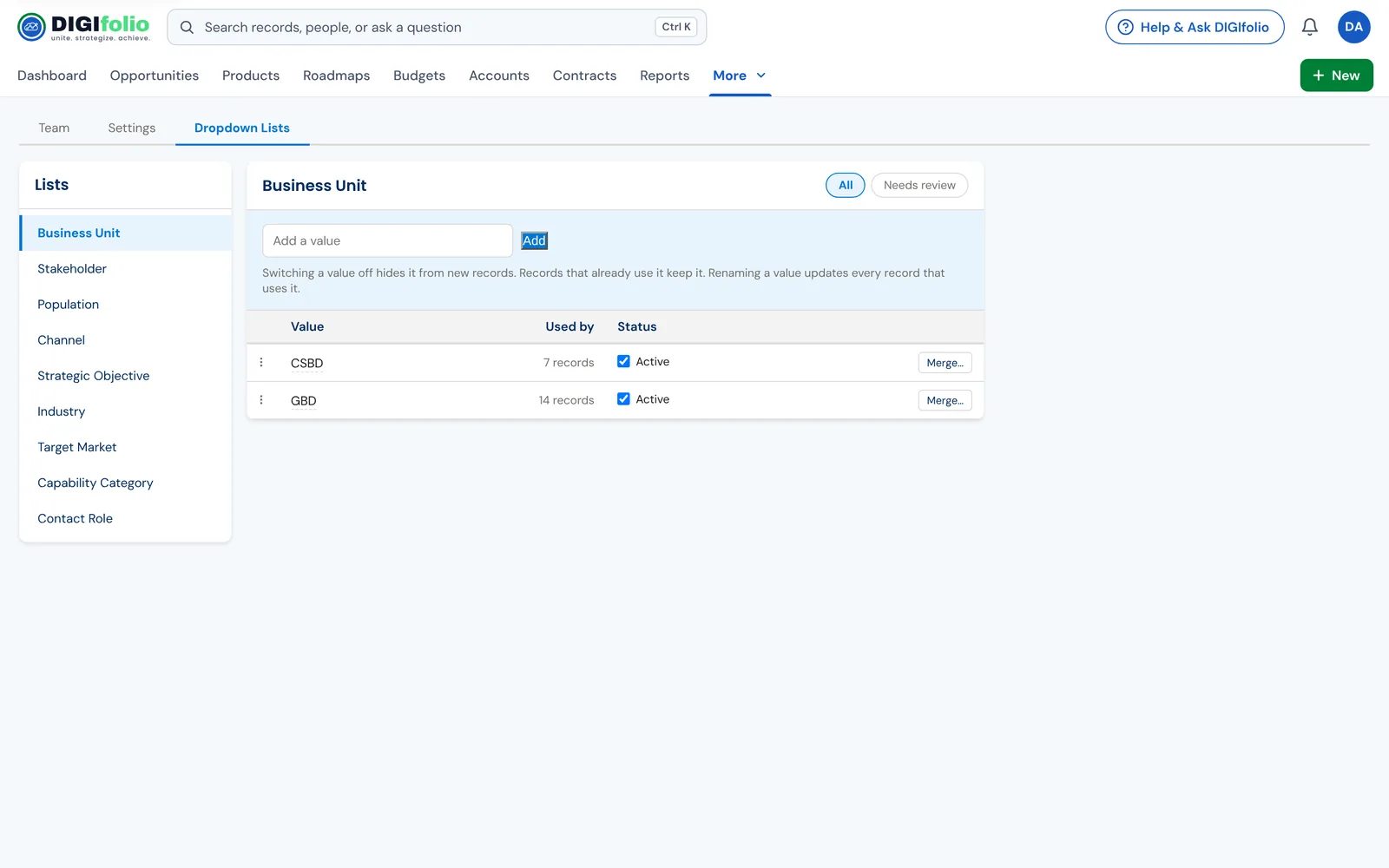
- Dropdown lists: the lists people pick from (statuses, categories, types). Some are fixed; many can be edited by your admin so they match your organization, and every team then uses the same values.
- Stages: stage paths with guidance and approval rules.
- Settings: workspace name, profile, password and assistant settings.
- Billing: current plan and payment, handled by Stripe.
- Audit log: changes to records and settings are recorded with who and when.
Security & hosting
| Area | How DIGIfolio handles it |
|---|---|
| Tenant isolation | Each organization is a separate tenant. Every table carries a tenant id and PostgreSQL row level security makes the database itself refuse to return another tenant's rows. |
| Hosting | Google Cloud: Cloud Run for the application and Cloud SQL for PostgreSQL. Secrets are held in Google Secret Manager. |
| Encryption | TLS for all traffic to digifolioapp.com and workspace subdomains. |
| Sign-in | Passwords stored as bcrypt hashes. Sessions use short-lived signed tokens in HTTP-only cookies, with refresh. |
| Access control | Four roles enforced on the server for every request. |
| Audit | Audit log of record and settings changes; stage history and approval decisions on each record. |
| Search engines | Workspace subdomains are marked noindex and blocked in robots.txt. |
| SSO / SAML, API | Enterprise roadmap. Talk to us about timing for your evaluation. |
Plans & limits
Full details are on the pricing page. In short:
| Plan | For | Includes |
|---|---|---|
| Starter (free) | Solo product managers and small teams exploring | Up to 3 users, 10 products, 50 features, 5 opportunities, product catalog and basic roadmaps |
| Professional | Growing product and portfolio teams | Unlimited users, products, features and opportunities; full roadmaps and budgets; programs and projects; dependencies; contracts and activities; reports and dashboards; export; email support |
| Enterprise | Large organizations with compliance needs | Everything in Professional plus custom onboarding and training, a dedicated success contact, SLAs and priority support. SSO and API access are on the Enterprise roadmap. |
Every new workspace starts with a 14-day free trial of the full product. No credit card is required, and nothing is deleted when the trial ends.
Getting started
- Create your workspace at digifolioapp.com/signup. You get your own subdomain.
- Set your lists and stages. Review the dropdown lists and stage paths so they match how you work.
- Load the catalog. Add your products, their capabilities and features.
- Add the work. Enter open opportunities with their accounts, budgets and roadmaps. Start with one portfolio.
- Invite your team and assign roles.
- Run one review from the dashboards instead of slides, then adjust.
Want help? Two17 Marketing & Tech offers guided onboarding, process design and data setup for Enterprise customers.
Buyer FAQ
Do we have to replace Jira, our CRM or our finance system?
No. DIGIfolio holds the portfolio layer: the decisions, links and status across products, demand, money and delivery. Detailed tickets, every invoice line and every sales email can stay where they are.
Can we change the stages and lists to match our process?
Yes. Admins edit the editable dropdown lists, and stage paths include guidance text and approval rules.
How do we get our numbers out for a board pack?
Export any dashboard widget or report to CSV, which opens in Excel.
Can executives use it without training?
Viewers land on ready-made dashboards and can click any number to see the records behind it. The report builder starts from plain questions.
Can we try it with realistic data first?
Yes. The live demo is loaded with sample products, opportunities, budgets and contracts, and the free trial gives you your own empty workspace.
What happens to our data if we leave?
You can export your reports and dashboard data to CSV at any time. Talk to us about a full export when you close an account.
Evaluation checklist
Use this list to test DIGIfolio against your needs during the trial.
| Capability | Where to check |
|---|---|
| Product, capability and feature hierarchy | Products tab |
| Sales and digital opportunities with stage paths | Opportunities tab, open any record |
| Approvals on selected stages | Move a record as a Contributor |
| Links between opportunity, product, budget, roadmap and contract | Connected panel on a record page |
| Budget against spend, and planned against actual value | Budget and Funding & Value dashboards |
| Roadmap delivery and overdue tracking | Delivery dashboard |
| Dependencies with severity and owner | More → Dependencies |
| Contract renewals | Contracts dashboard |
| Self-service reporting | Reports → Create a report |
| Roles and admin-controlled lists | More → Admin |
See it with your own portfolio.
Start a 14-day free trial. No credit card required. Most teams are set up in under 15 minutes.