
Market what is real, and know what is selling.
DIGIfolio gives marketing a live view of the product catalog, what is shipping and where the pipeline is coming from, so campaigns line up with what the business can deliver.
14-day free trial · No credit card required
What gets in the way today
Launch dates move and nobody tells marketing
Campaigns get built around features that slip a quarter.
No clear line from campaign to revenue
Marketing cannot see which products and industries the pipeline is concentrated in.
Positioning drifts from the product
Messaging is written from old decks instead of the current catalog.
What Marketing teams use in DIGIfolio
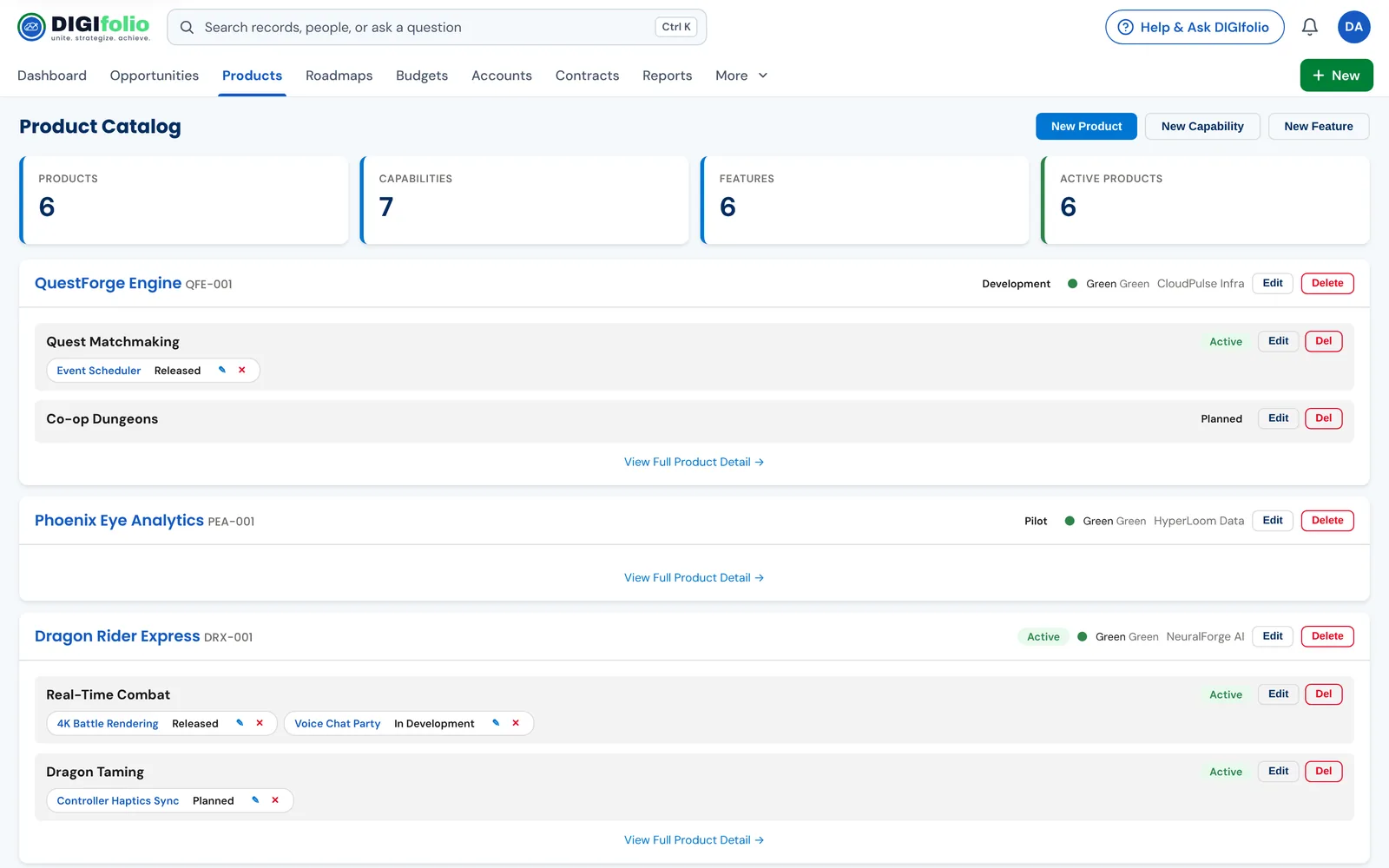
The catalog as the source for messaging
Products, capabilities and features with stage and health, so positioning starts from what exists and what is planned.
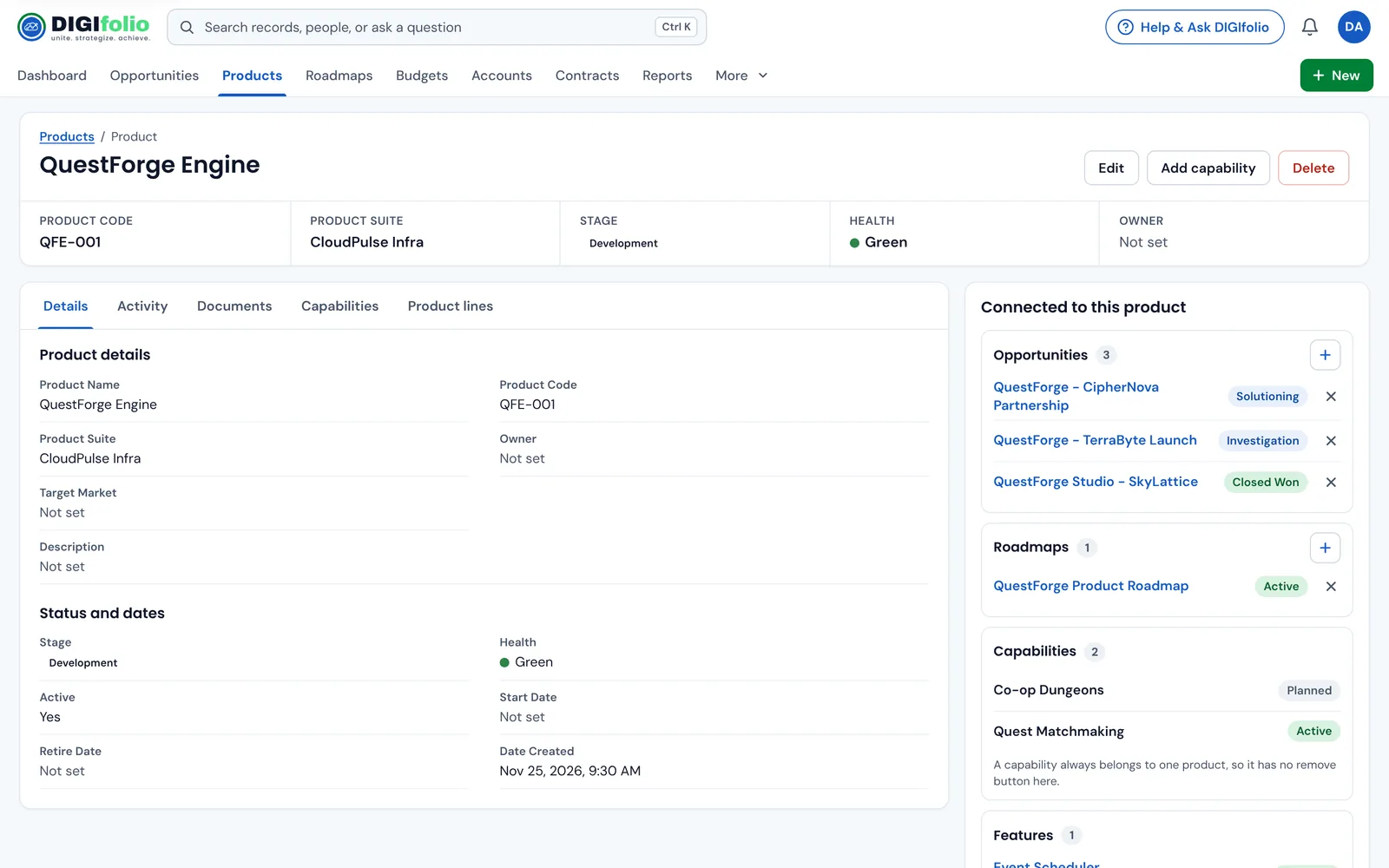
Product pages with roadmap and pipeline
Each product shows its capabilities, linked roadmaps and the open pipeline behind it.
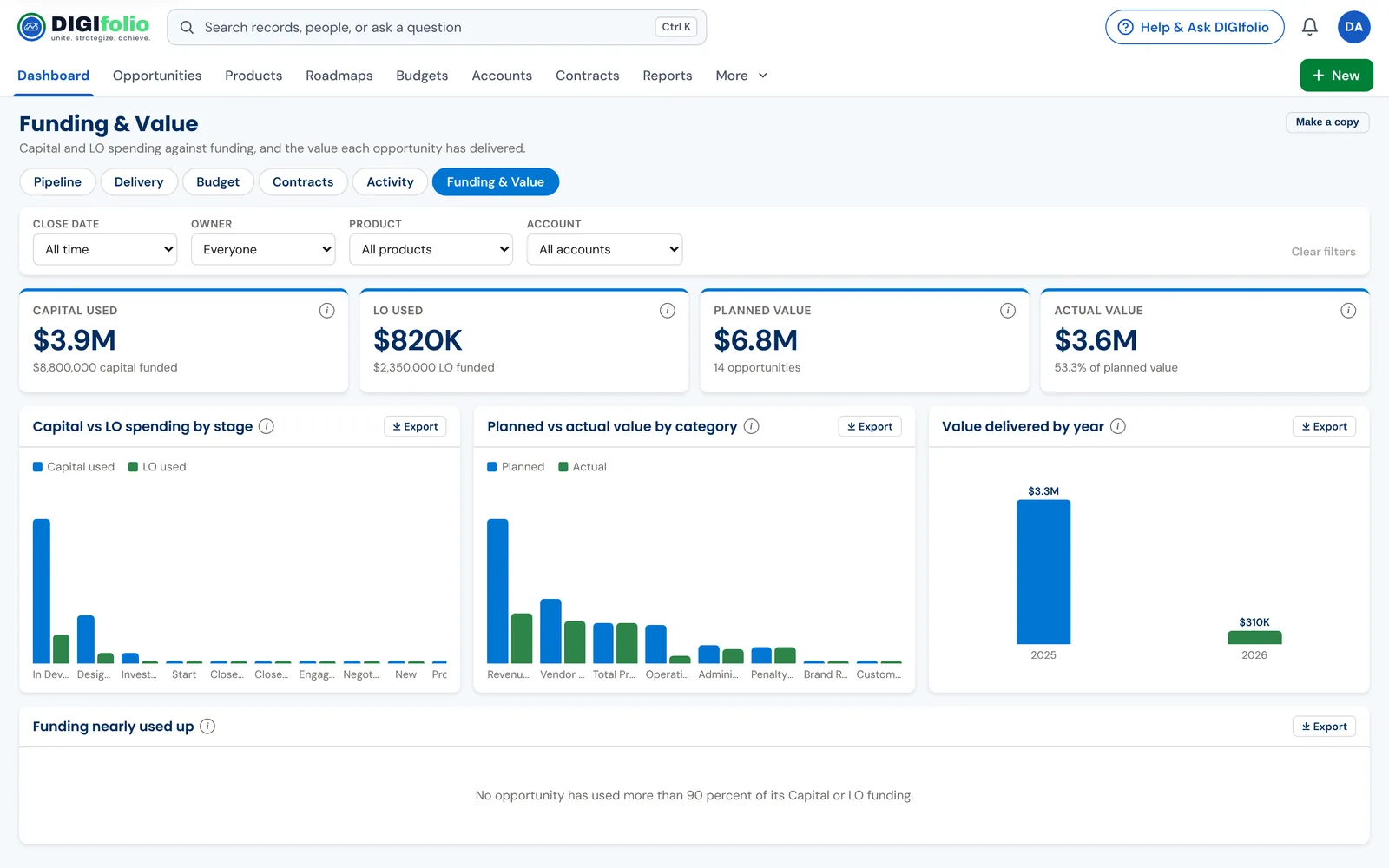
Value by category and year
The Funding & Value dashboard shows planned against actual value, which makes the proof points for case studies easy to find.
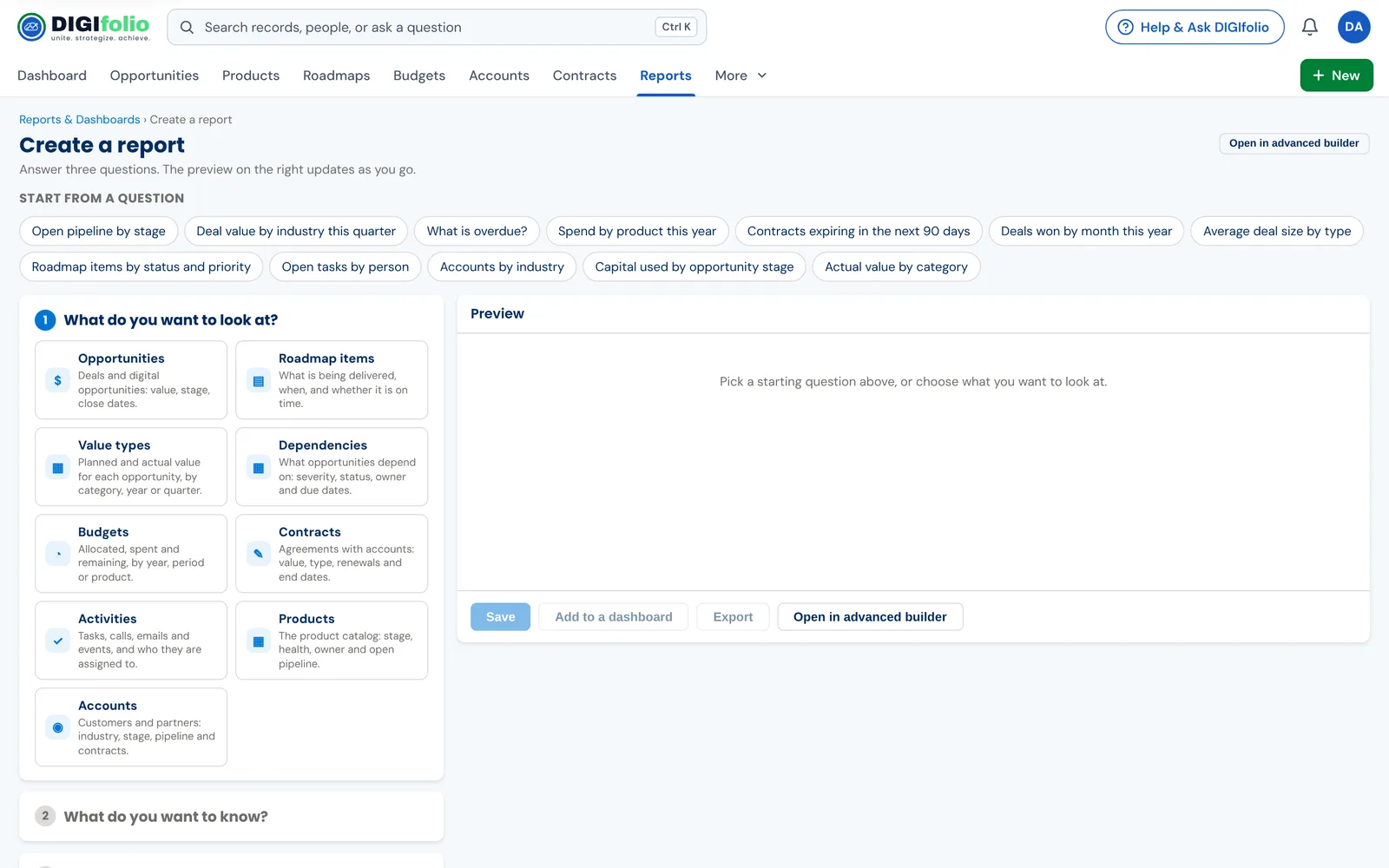
Ask a question, get a report
Start from questions like "Deal value by industry this quarter" and get a chart in seconds, no report-writing skills needed.
A typical week
- Pull the current catalog and roadmap before planning a launch.
- Check open value by product and industry to choose where to focus spend.
- Save the report and add it to a shared dashboard for the campaign team.
- Revisit planned against actual value after launch to build the success story.
What changes
- Campaigns timed to real delivery dates, not hopeful ones.
- Spend focused on the products and industries where pipeline is building.
- Messaging that matches the catalog because both come from the same records.
Dashboards you will use most
Ready on day one. Filter, drill into the records behind any number, export to CSV, or make your own copy.
Related roles
Give Marketing one place to work.
Start a 14-day free trial. No credit card required. Most teams are set up in under 15 minutes.