
Run the technology roadmap with the dependencies in plain sight.
CTOs need to know what is being built, what it depends on and whether it is on time. DIGIfolio connects products, capabilities, roadmap items and dependencies so risk shows up before the release does.
14-day free trial · No credit card required
What gets in the way today
Dependencies are discovered late
A blocked API or an unsigned vendor contract stalls a release nobody connected to it.
Capabilities get rebuilt
Teams do not see that the capability they need already exists in another product.
Delivery status is opinion
Health colors are set by feel and nobody can see what is overdue.
What CTOs teams use in DIGIfolio
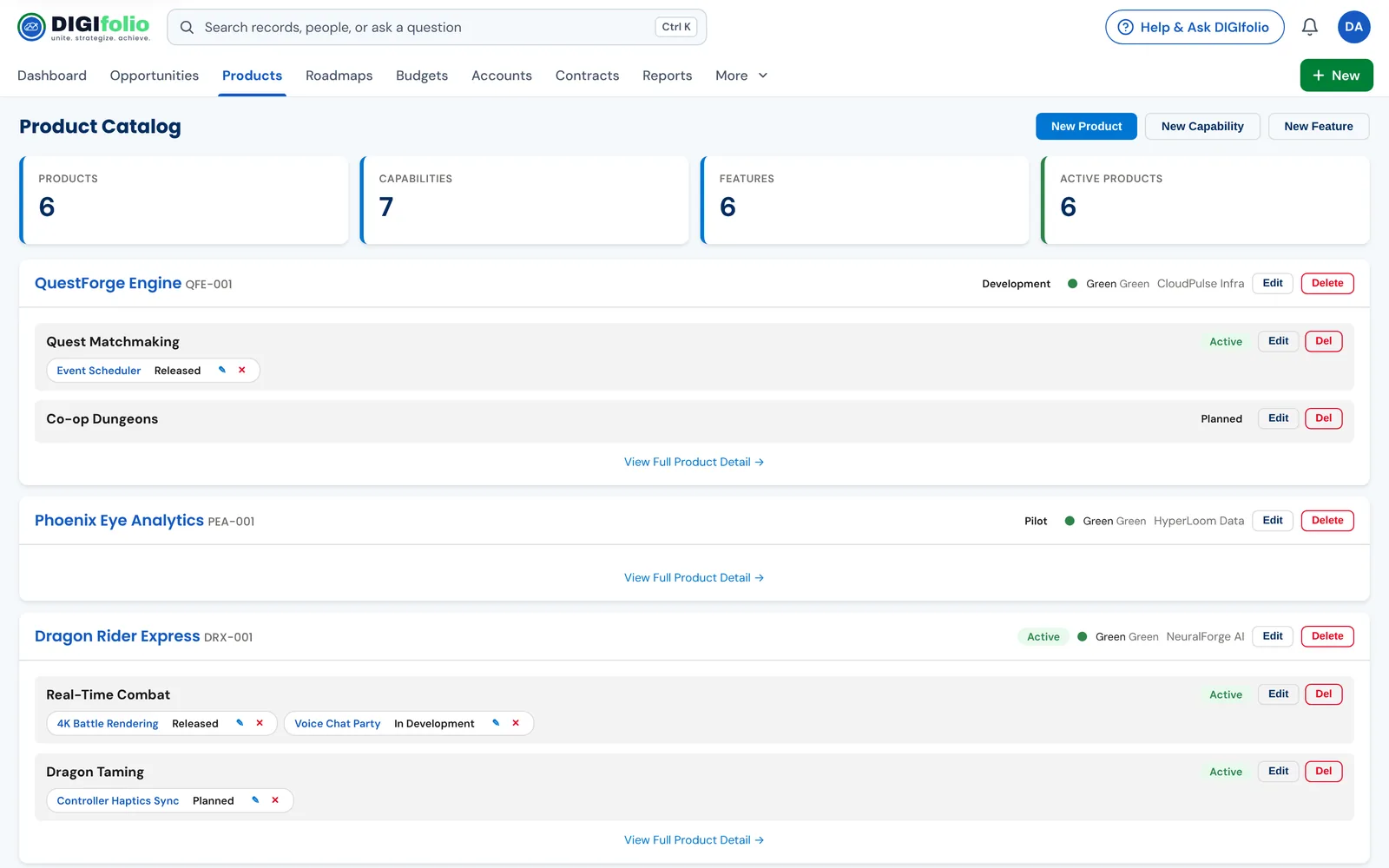
Reusable capabilities across products
Define a capability once and link it to every product that delivers it, so reuse is visible.
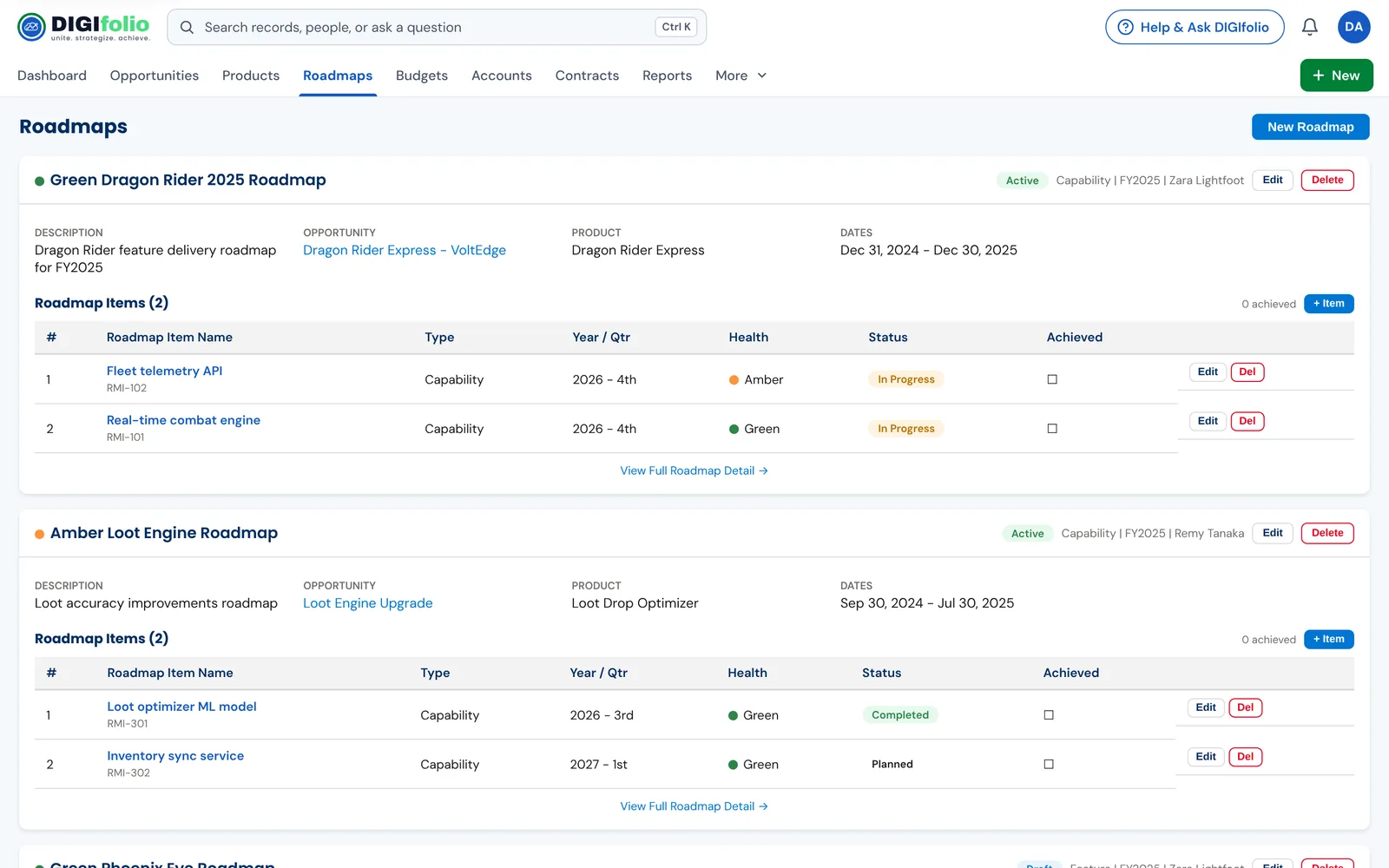
Roadmaps by quarter and health
Roadmap items with type, year and quarter, health and status, linked to the opportunity and product.
Dependencies with severity
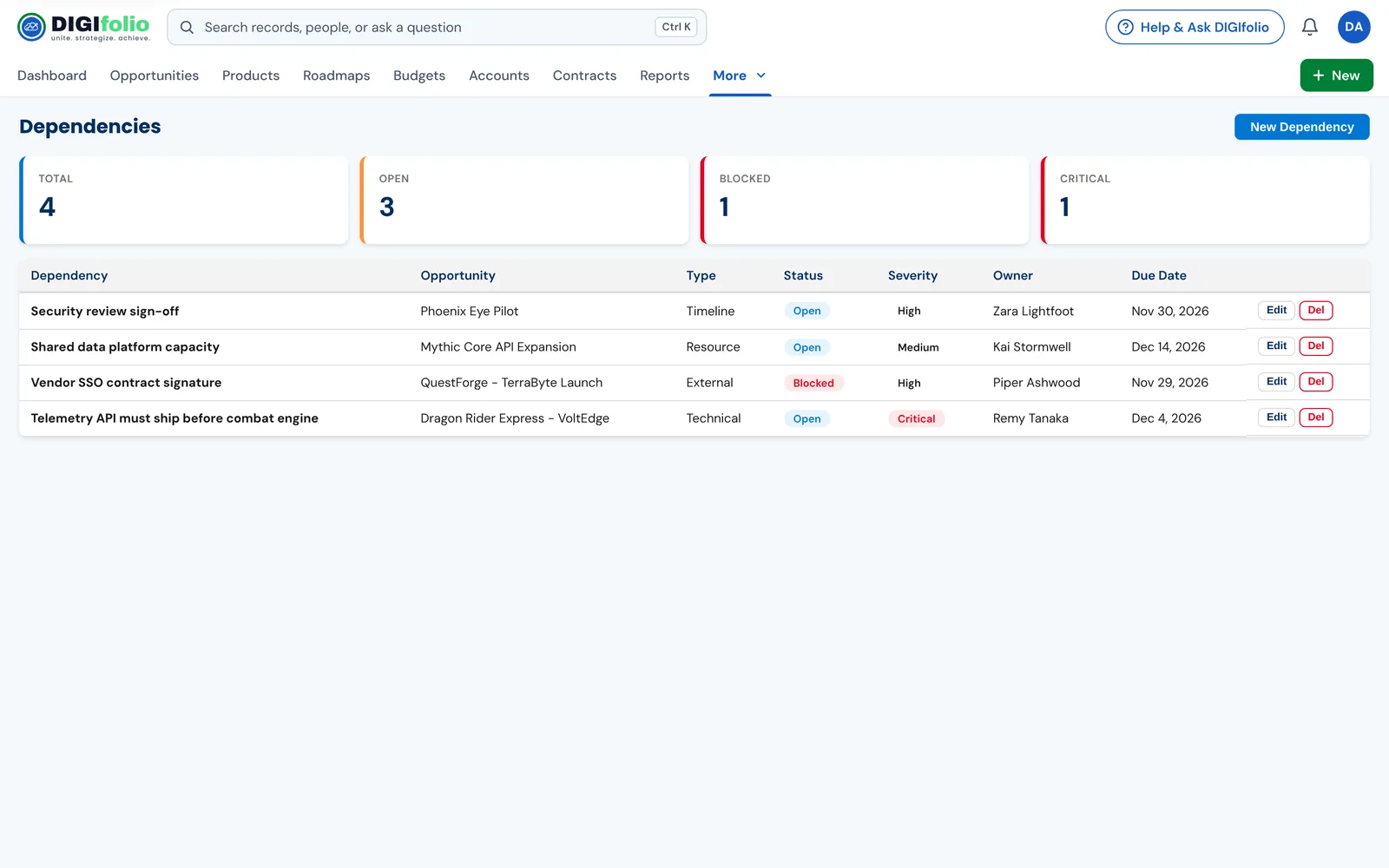
Track technical, resource, budget, external and timeline dependencies with owner, severity and due date.
Delivery dashboard
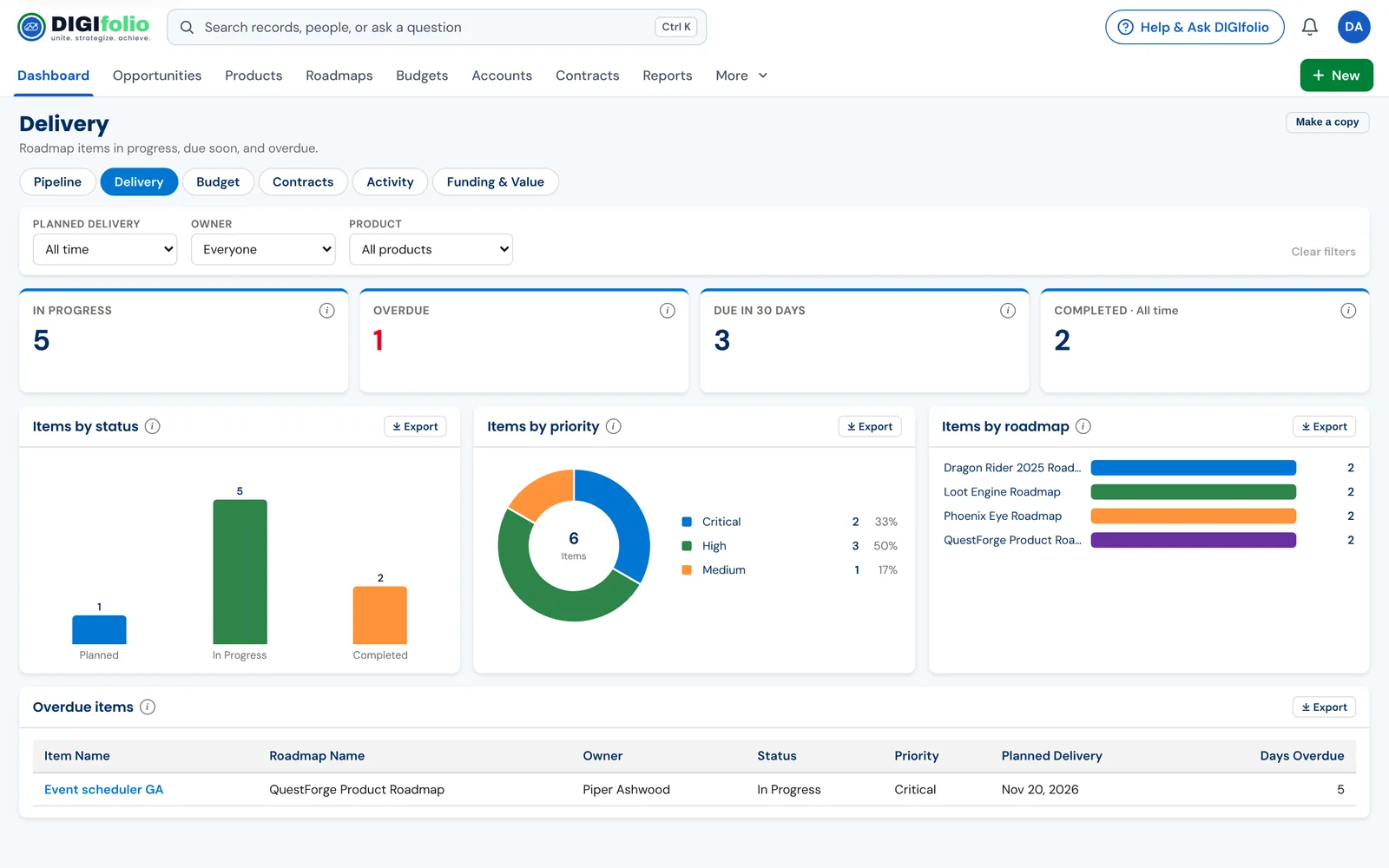
In progress, overdue, due in 30 days and completed, plus items by status, priority and roadmap.
A typical week
- Model products, capabilities and features in the catalog.
- Plan roadmap items by quarter and link them to features and budgets.
- Log dependencies against the opportunity and watch blocked and critical counts.
- Use the Delivery dashboard in the weekly engineering review.
What changes
- Risks raised early because dependencies are linked to the work they block.
- Less duplicate build because shared capabilities are visible across products.
- Delivery status grounded in dates and status, not opinion.
Dashboards you will use most
Ready on day one. Filter, drill into the records behind any number, export to CSV, or make your own copy.
Related roles
Give CTOs one place to work.
Start a 14-day free trial. No credit card required. Most teams are set up in under 15 minutes.