
Sell what you actually build.
Every deal in DIGIfolio is tied to the products, capabilities and features behind it. Sellers stop promising roadmap items that are not funded, and leaders see pipeline by product, not just by rep.
14-day free trial · No credit card required
What gets in the way today
Pipeline lives in one tool, product truth in another
Reps quote features from an old slide. Nobody can see which deals depend on which roadmap item.
Forecast calls run on gut feel
Weighted value, stage history and close dates sit in spreadsheets that are stale by Monday.
Handoffs lose context
When a deal is won, delivery starts from zero because the account, contacts and contract are scattered.
What Sales teams use in DIGIfolio
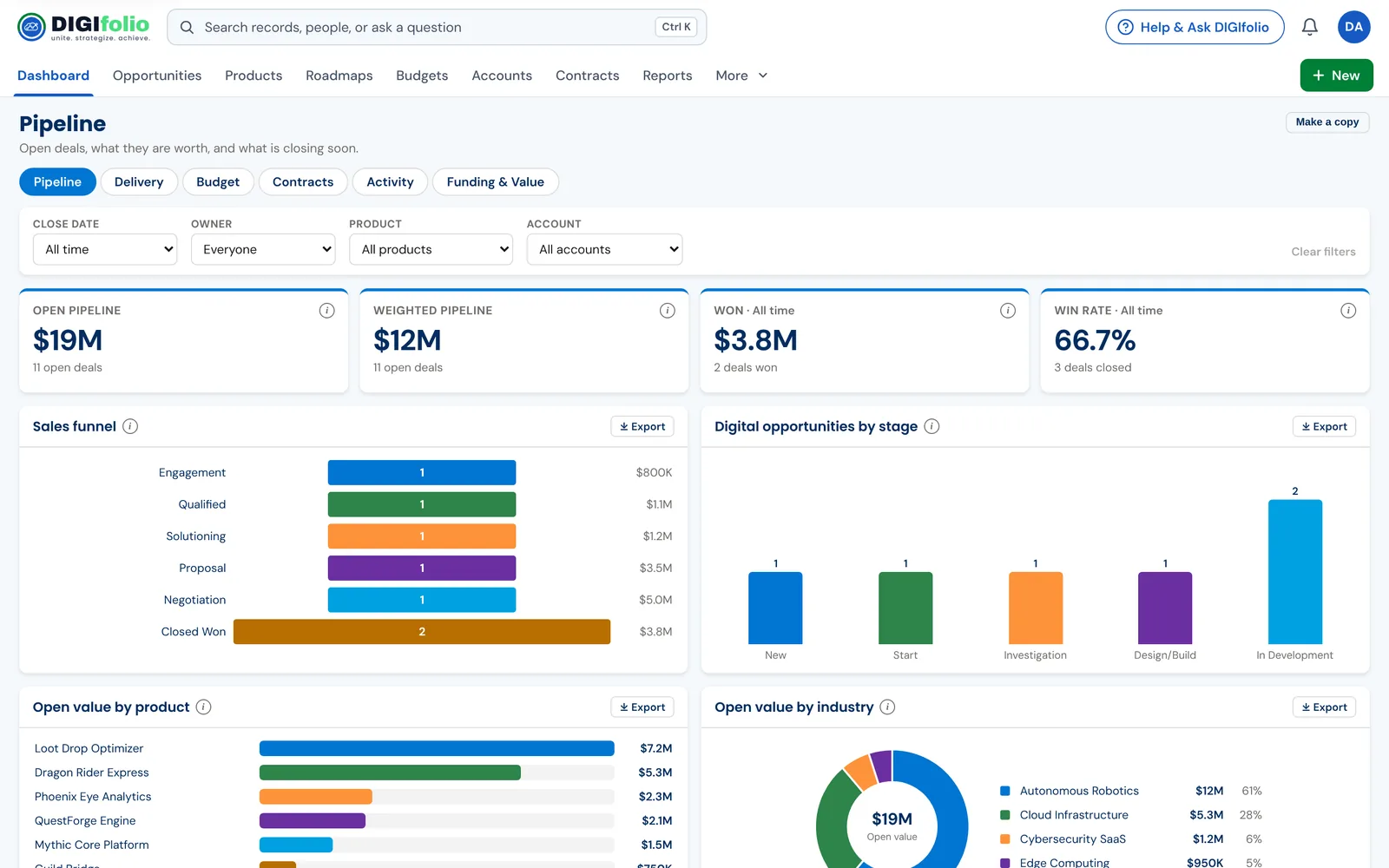
Pipeline dashboard, ready on day one
Open pipeline, weighted pipeline, won value and win rate, with a sales funnel by stage. Filter by close date, owner, product or account, then click any bar to see the deals behind it.
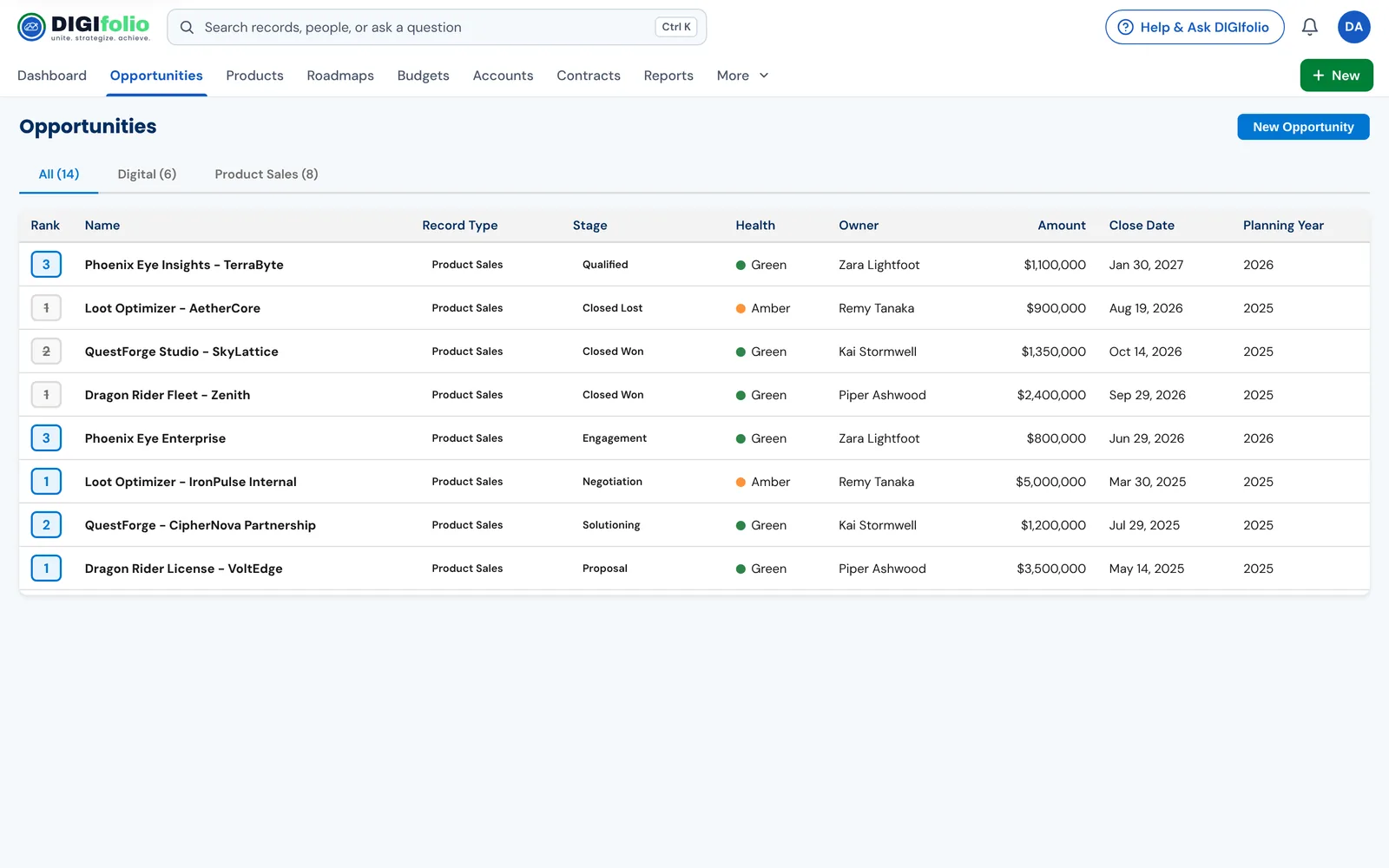
Stack-ranked opportunities
Rank deals in priority order, see health at a glance and keep Product Sales and Digital opportunities in one list or split by type.
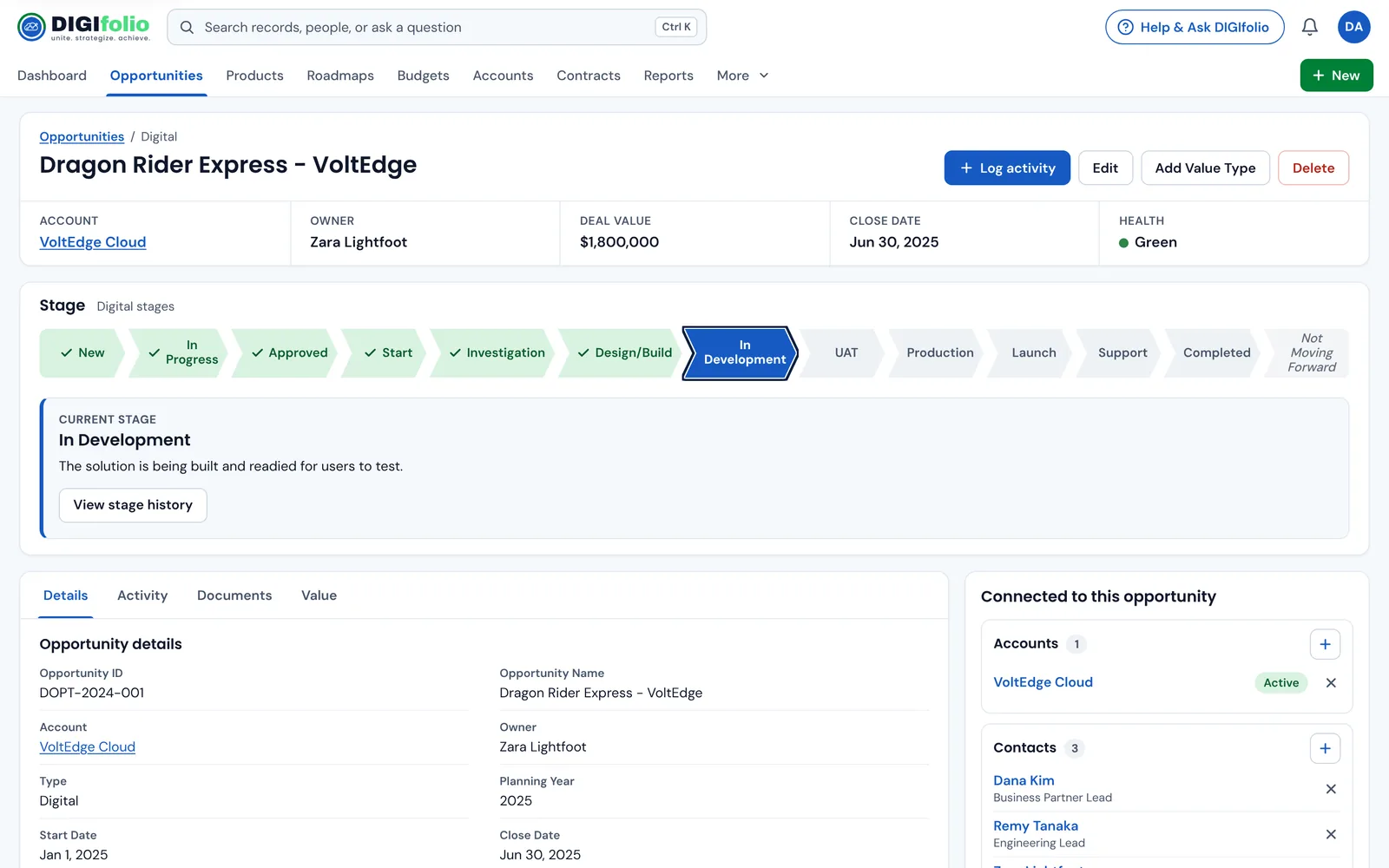
A record page that shows the whole deal
A clickable stage tracker, the guidance for each stage, and a side panel with every connected account, contact, product and contract.
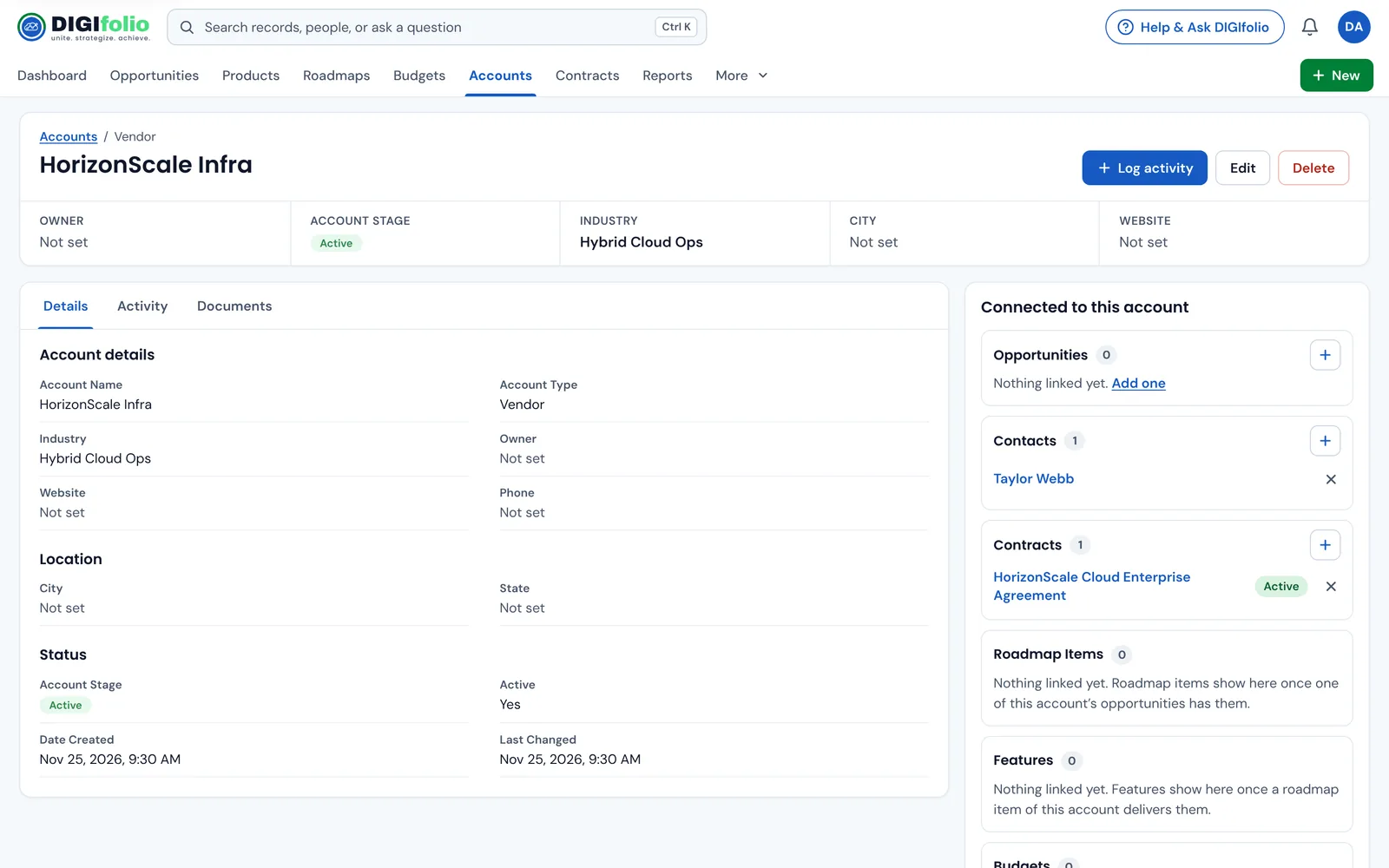
Accounts with full context
Open an account and see its opportunities, contacts, contracts and the roadmap items being delivered for it.
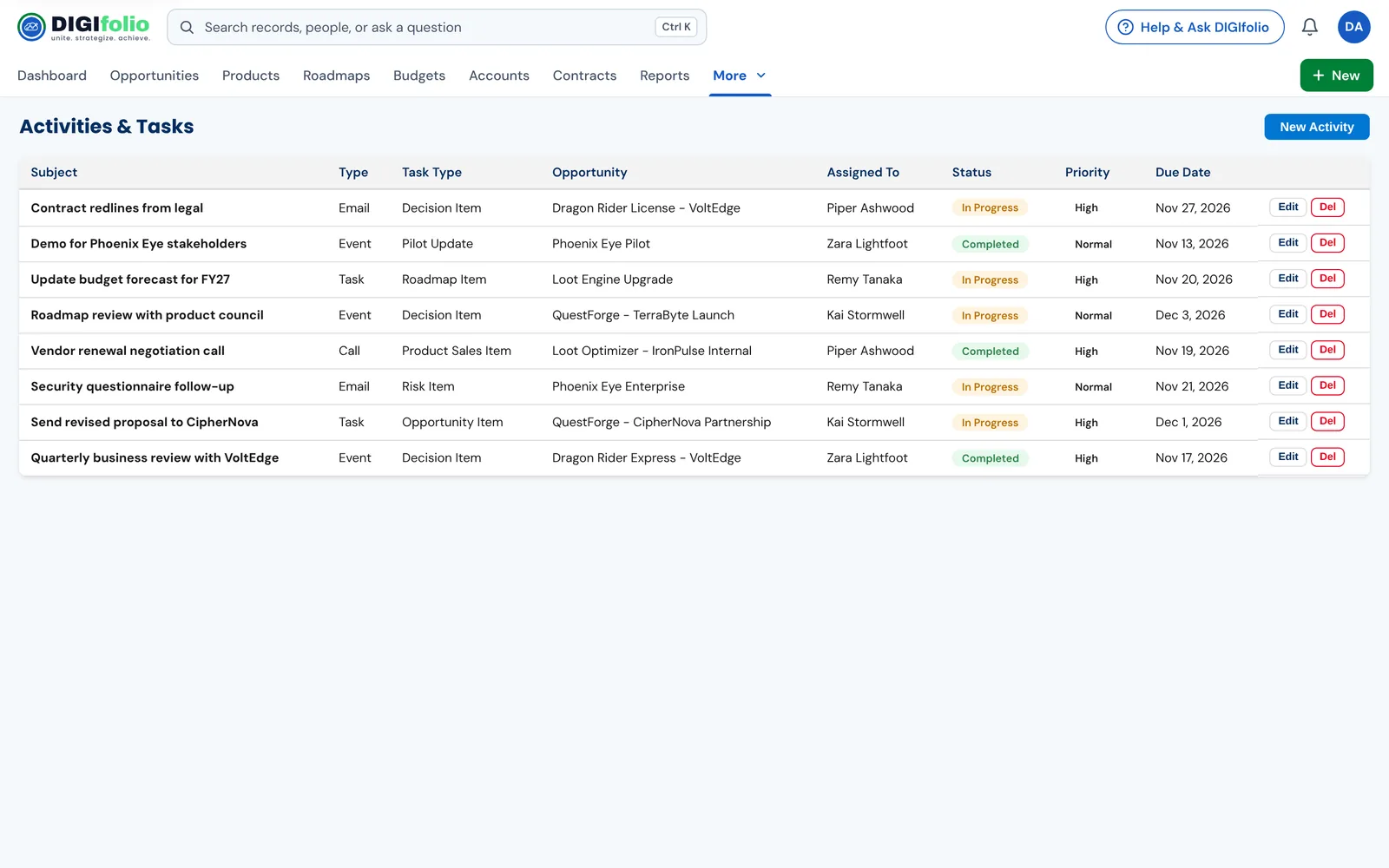
Activity you can report on
Log calls, emails, tasks and events against the deal so the next person knows what happened and what is due.
A typical week
- Create the opportunity and link the account, contacts and the products the buyer wants.
- Move it through stages on the tracker. Stages that need sign-off route to a manager for approval.
- Log activity as you go. Overdue tasks surface on the Activity dashboard.
- Review pipeline by product and owner in the weekly forecast, straight from the dashboard.
What changes
- One forecast everyone trusts, built from live records instead of exported sheets.
- Pipeline mapped to products, so product and sales leaders talk about the same numbers.
- Clean handoff to delivery because the deal already carries its account, contract and roadmap links.
Dashboards you will use most
Ready on day one. Filter, drill into the records behind any number, export to CSV, or make your own copy.
Related roles
Give Sales one place to work.
Start a 14-day free trial. No credit card required. Most teams are set up in under 15 minutes.