
Connect what you build to how you take it to market.
GTM teams sit between product, sales and delivery. DIGIfolio puts the catalog, roadmap, pipeline and contracts on connected records so launch readiness is a fact, not a meeting.
14-day free trial · No credit card required
What gets in the way today
Launch readiness is tracked in a slide
Product says ready, sales says not ready, and nobody owns the checklist.
Pricing and packaging drift from the catalog
Features get bundled in deals that are not on the roadmap.
Renewals sneak up
Contract end dates sit in a shared drive and nobody watches them.
What Go-to-Market teams use in DIGIfolio
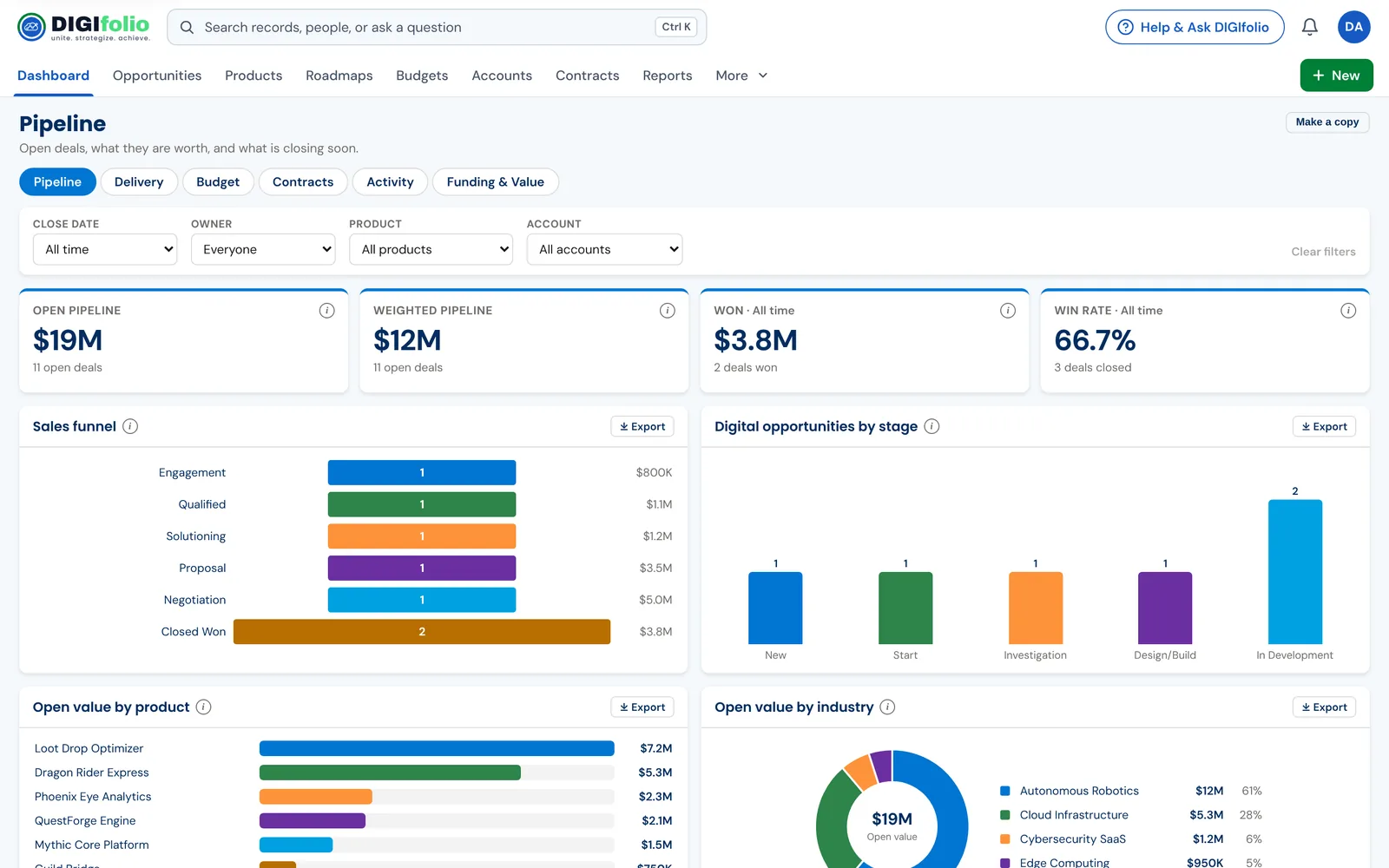
Pipeline by product, owner and account
See where demand is building and which products carry the open value.
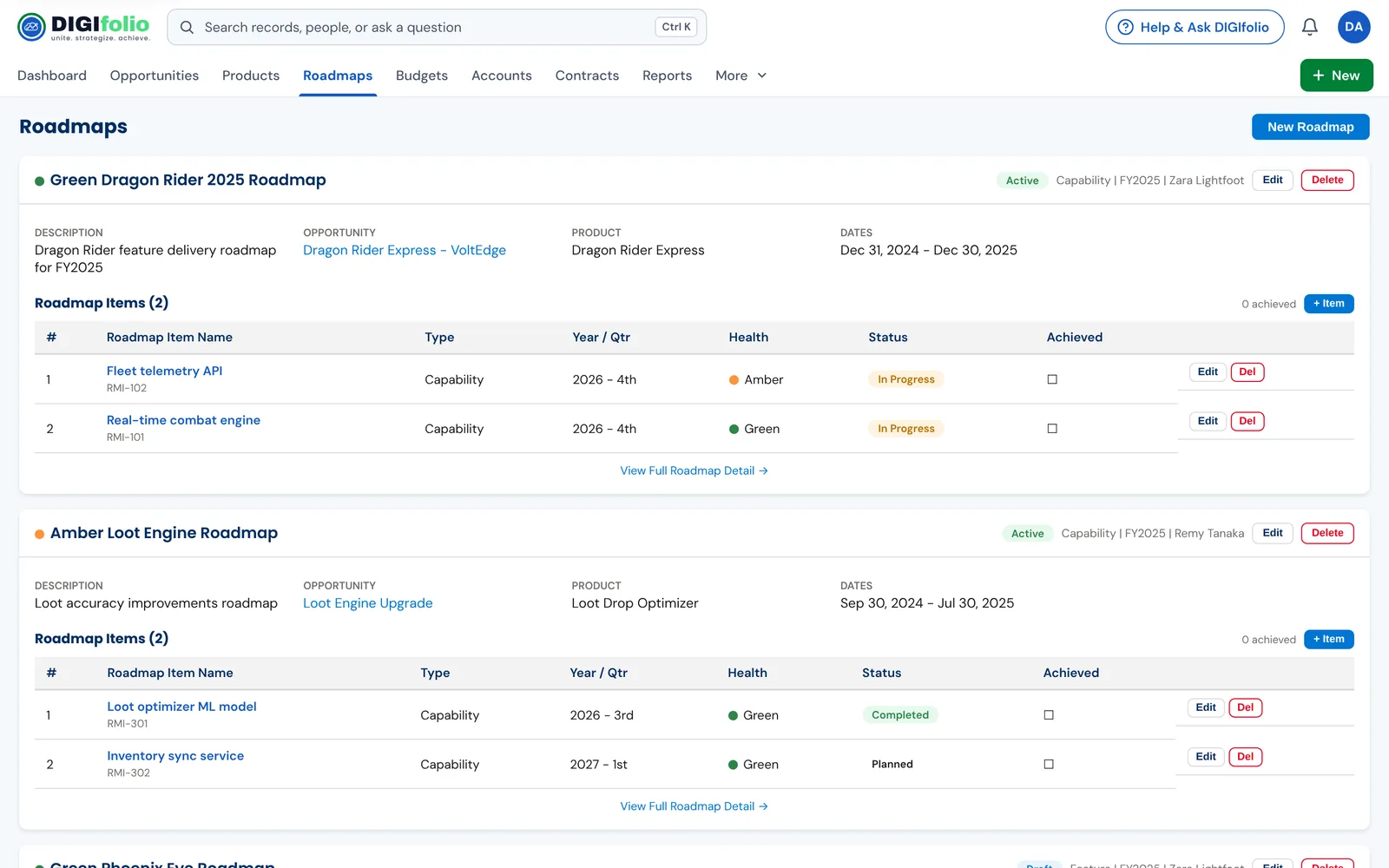
Roadmaps tied to opportunities
Each roadmap links to the opportunity and product it serves, with items by quarter and health.
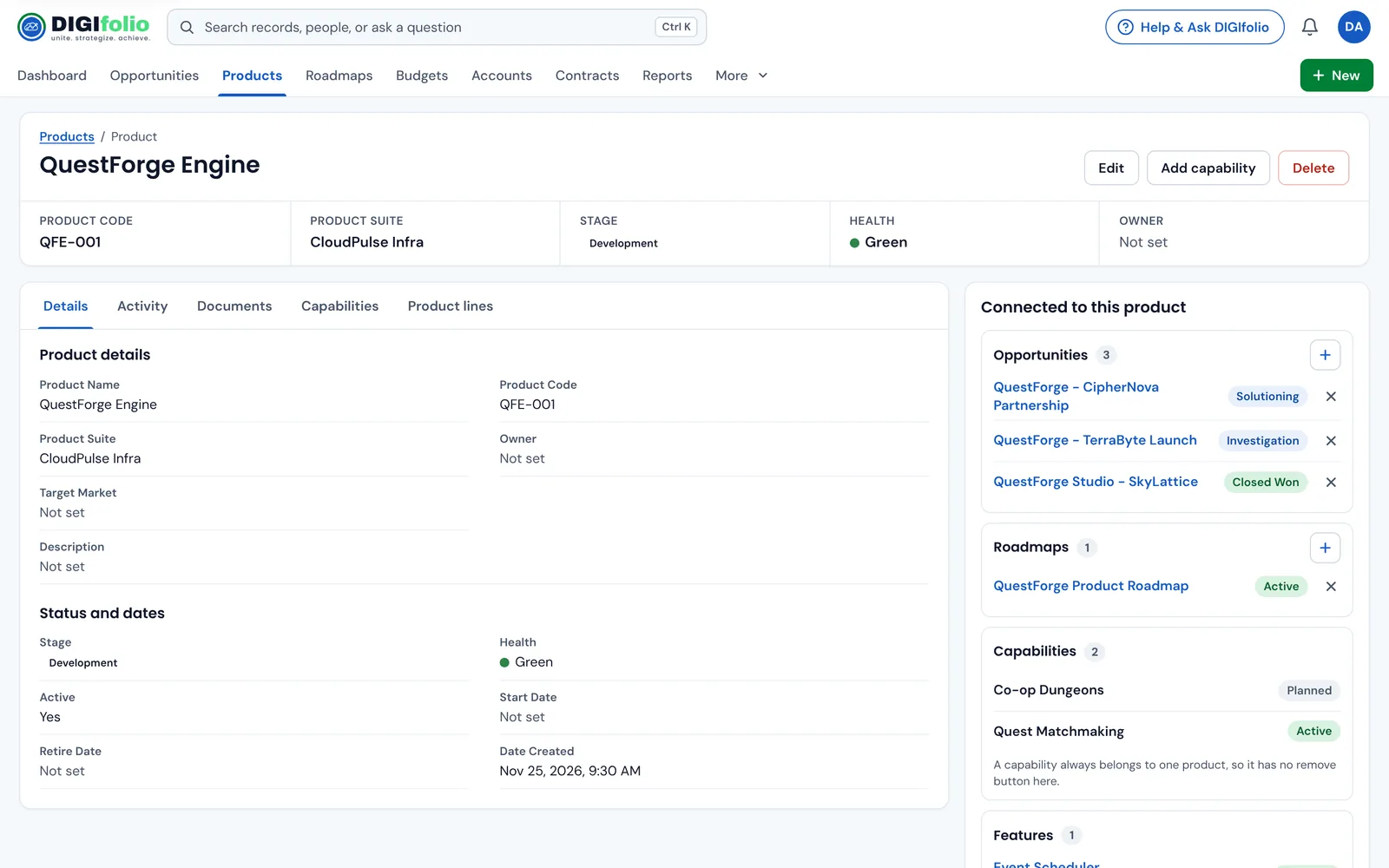
Product records as the readiness hub
Stage, health, capabilities, budgets and connected deals in one page.
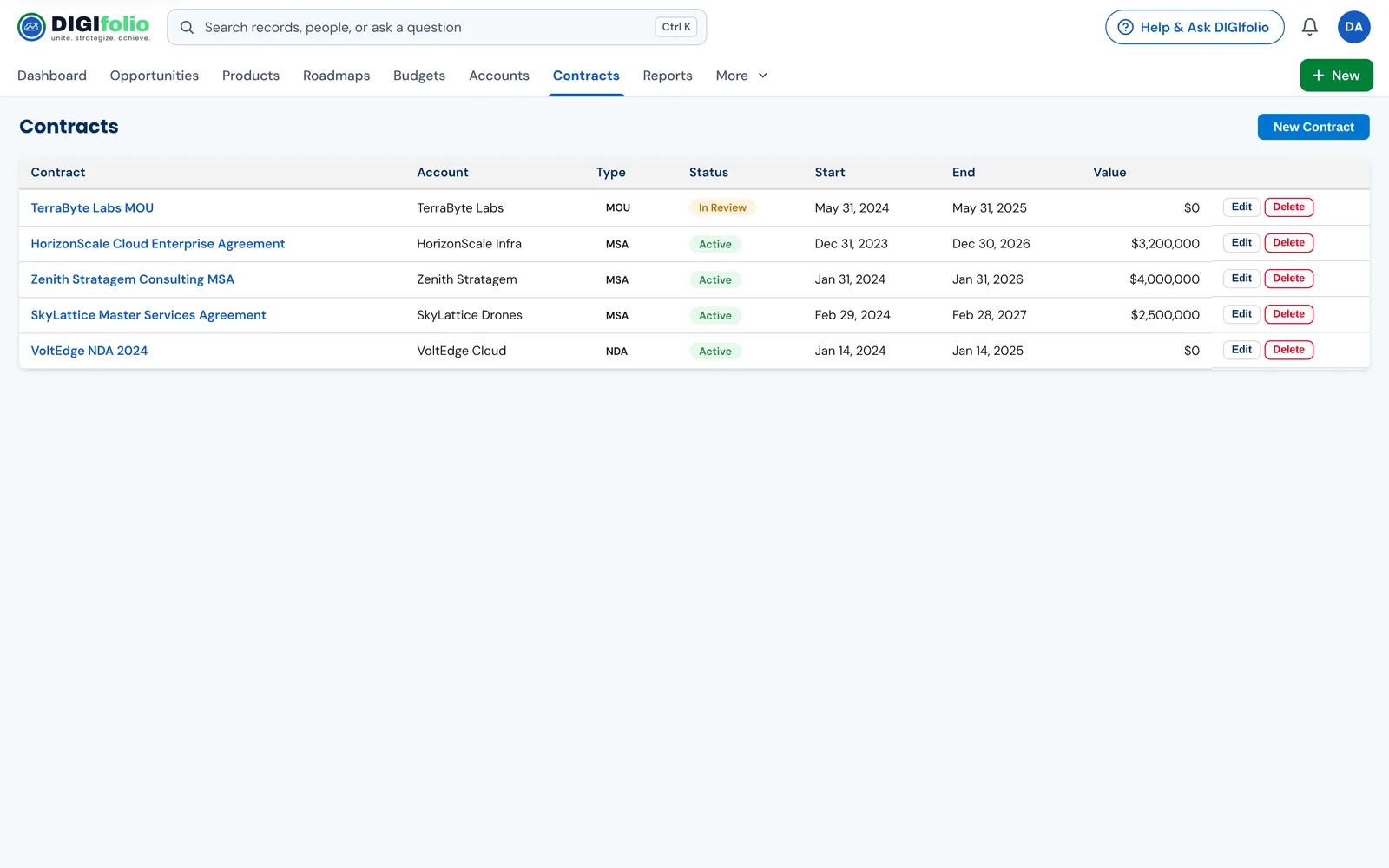
Contracts with renewal visibility
Every contract shows type, status, value and end date. The Contracts dashboard lists what expires in the next 90 days.
A typical week
- Define the product, its capabilities and features in the catalog.
- Link the roadmap and budget, then track readiness on the product stage tracker.
- Tie launch opportunities to the product so pipeline rolls up automatically.
- Watch renewals and expansion on the Contracts dashboard.
What changes
- Launch readiness visible to product, sales and delivery at the same time.
- Packaging decisions grounded in the catalog and the roadmap.
- No surprise renewals because expiring contracts are on a dashboard.
Dashboards you will use most
Ready on day one. Filter, drill into the records behind any number, export to CSV, or make your own copy.
Related roles
Give Go-to-Market one place to work.
Start a 14-day free trial. No credit card required. Most teams are set up in under 15 minutes.