
Roll projects up to programs, and programs up to outcomes.
Program managers own the connections between projects, budgets and benefits. DIGIfolio gives them the hierarchy, the cost breakdown and the cross-project dependencies in one place.
14-day free trial · No credit card required
What gets in the way today
Program views are hand-built
Each project reports differently, so the program rollup is a copy-paste job.
Budget allocations are hard to trace
Money moves between projects and nobody can see where it landed.
Cross-project risk is hidden
Dependencies between projects only show up when something slips.
What Program Managers teams use in DIGIfolio
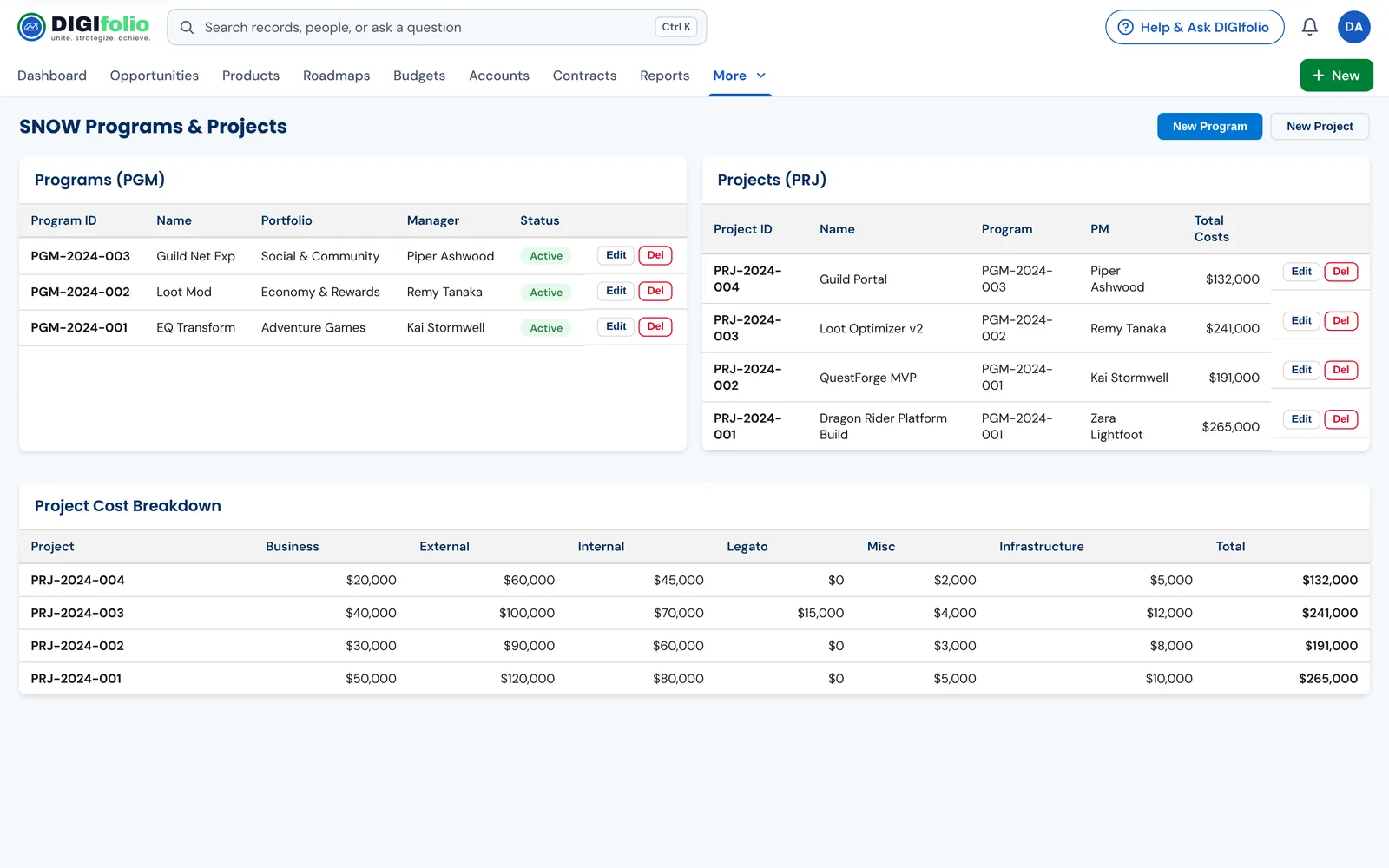
Programs and projects
Program to project hierarchy with portfolio, manager, status and total cost, plus a cost breakdown by category.
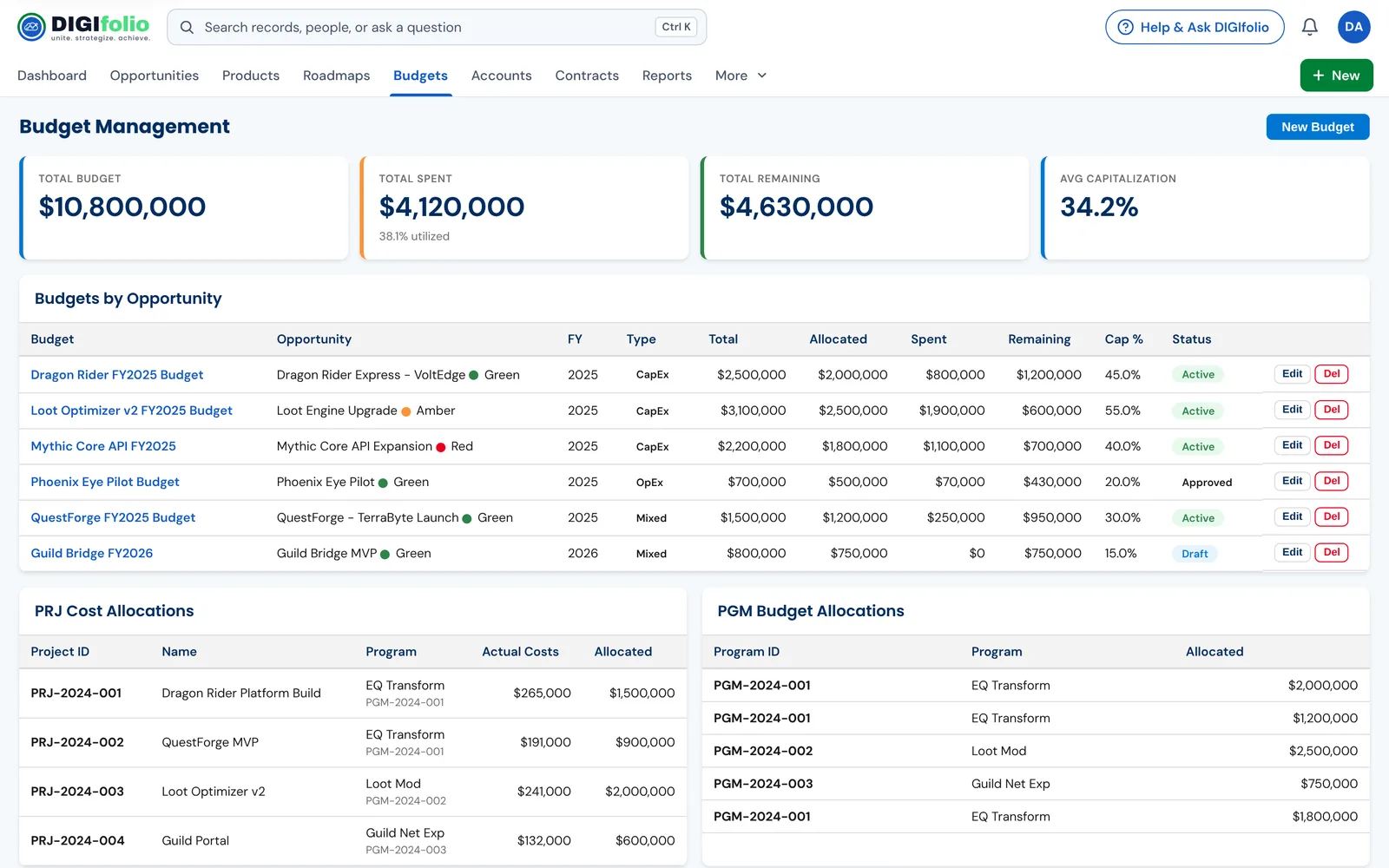
Budget allocations by project and program
Budgets by opportunity with capitalization, and project and program allocations side by side.
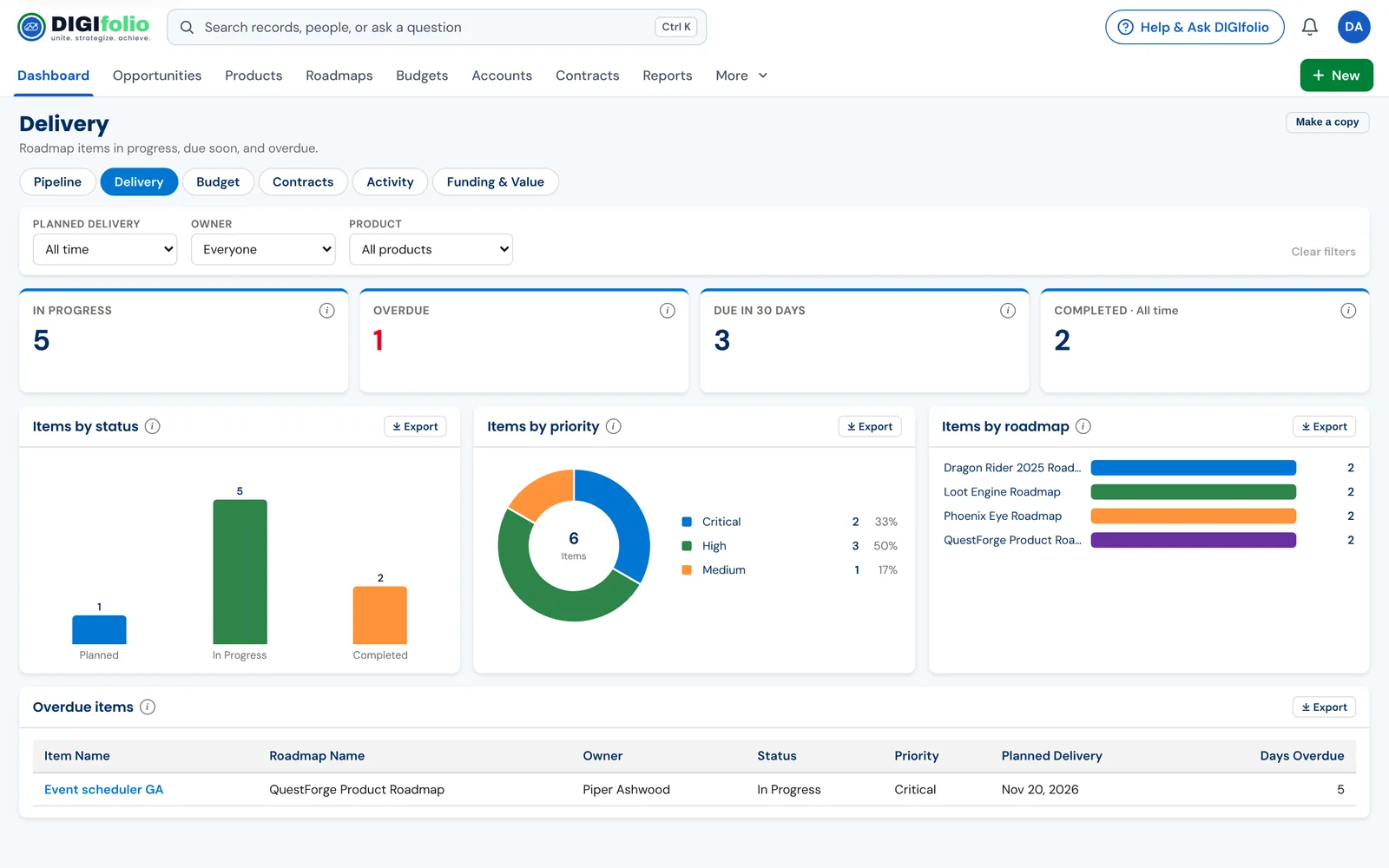
Delivery across the program
Items by status, priority and roadmap, with overdue items listed for follow-up.
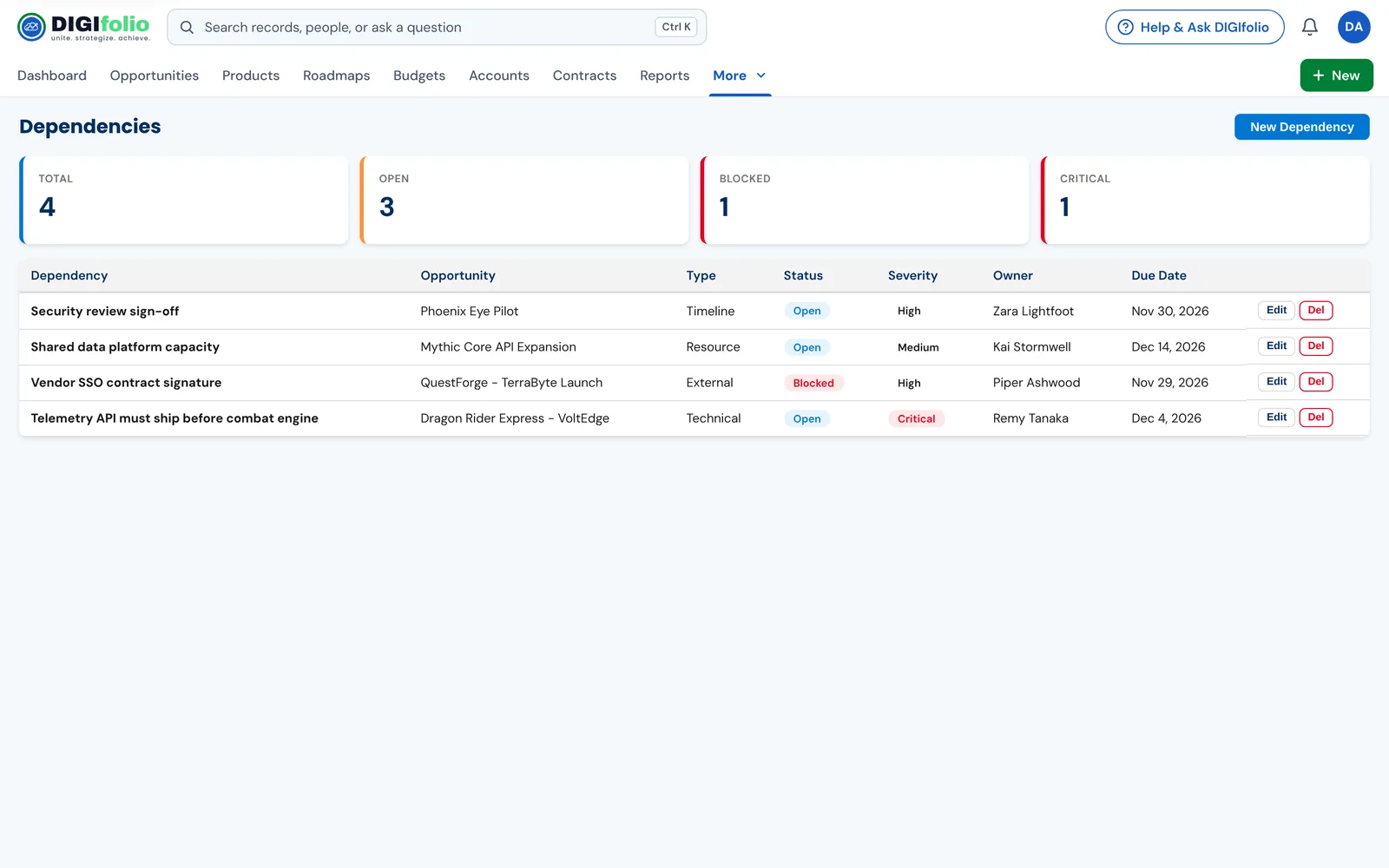
Dependencies across projects
Track what each piece of work depends on, with severity and owner.
A typical week
- Set up programs and the projects inside them.
- Allocate budget to programs and projects and record actual costs by category.
- Link roadmap items and dependencies to the opportunities they serve.
- Run the program review from the Delivery and Budget dashboards.
What changes
- Program rollups that build themselves from project records.
- Budget allocations you can trace from program down to project.
- Cross-project dependencies visible before they turn into delays.
Dashboards you will use most
Ready on day one. Filter, drill into the records behind any number, export to CSV, or make your own copy.
Related roles
Give Program Managers one place to work.
Start a 14-day free trial. No credit card required. Most teams are set up in under 15 minutes.