
Every vendor, contract and renewal in one place.
DIGIfolio treats vendors as accounts with contracts, contacts, spend and the work they support. Vendor managers see commitments, renewals and dependencies without chasing three systems.
14-day free trial · No credit card required
What gets in the way today
Renewals are missed or rushed
End dates and renewal terms sit in documents nobody reviews until it is too late to negotiate.
Spend is not tied to the work
You can see the invoice but not which product or program it funds.
Vendor risk is invisible to delivery
Delivery teams do not know a release depends on a vendor contract that is still in review.
What Vendor Management teams use in DIGIfolio
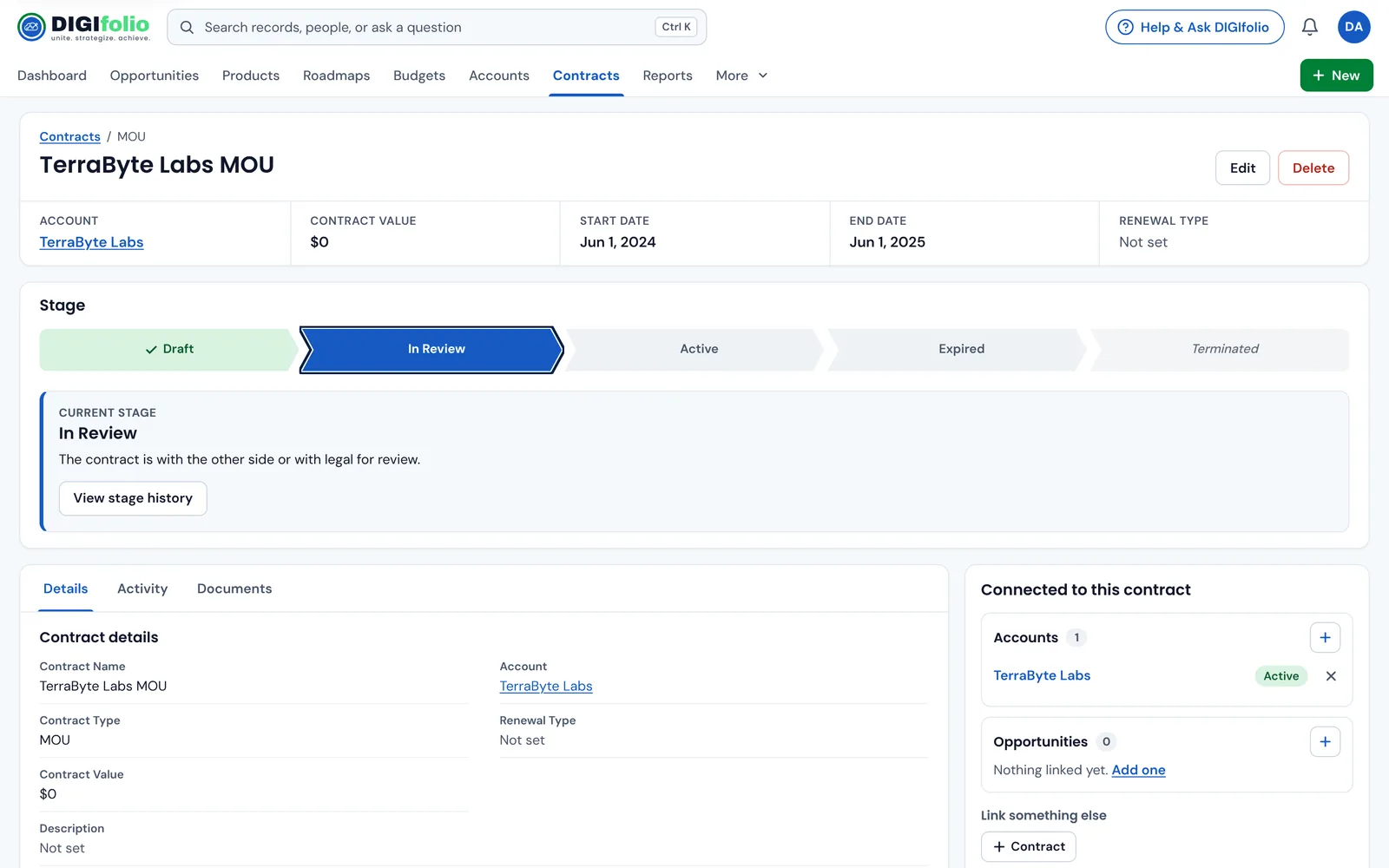
Contracts with lifecycle stages
Draft, In Review, Active, Expired and Terminated stages with stage history and documents on the record.
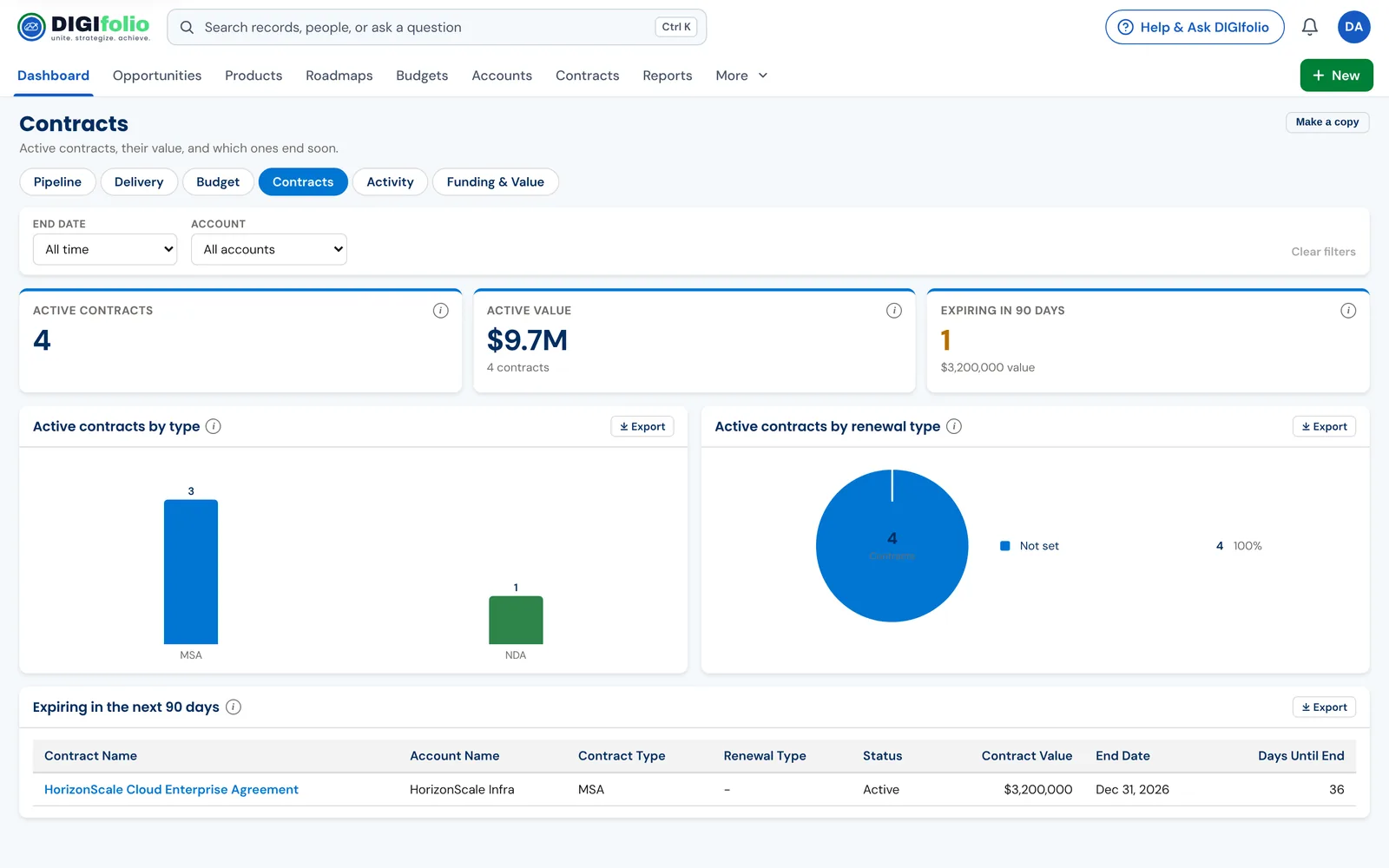
Contracts dashboard
Active contracts, active value, contracts expiring in 90 days, and breakdowns by type and renewal type.
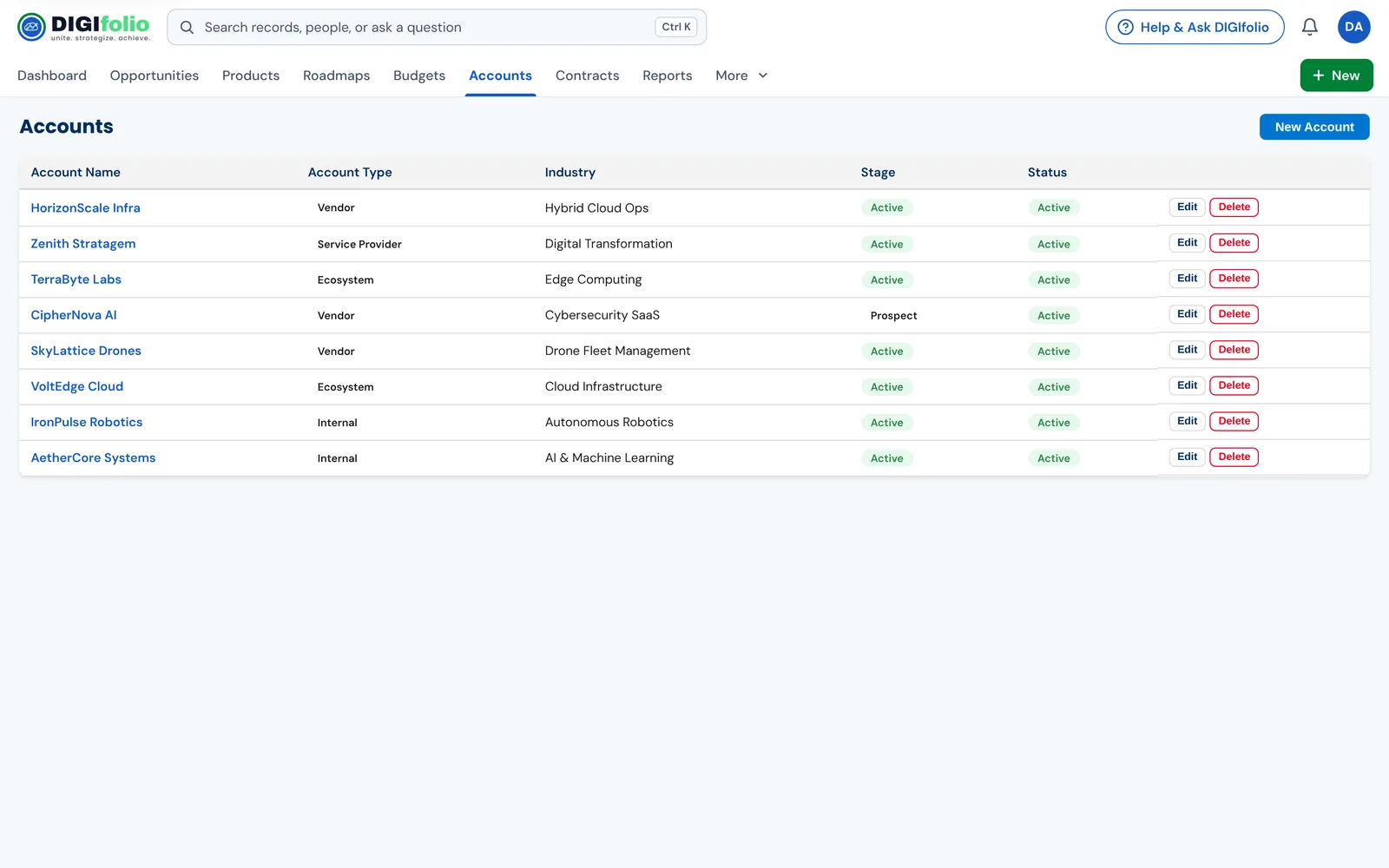
Vendors as accounts
Accounts carry a type (vendor, ecosystem, service provider, internal and more), so vendor lists and reports filter cleanly.
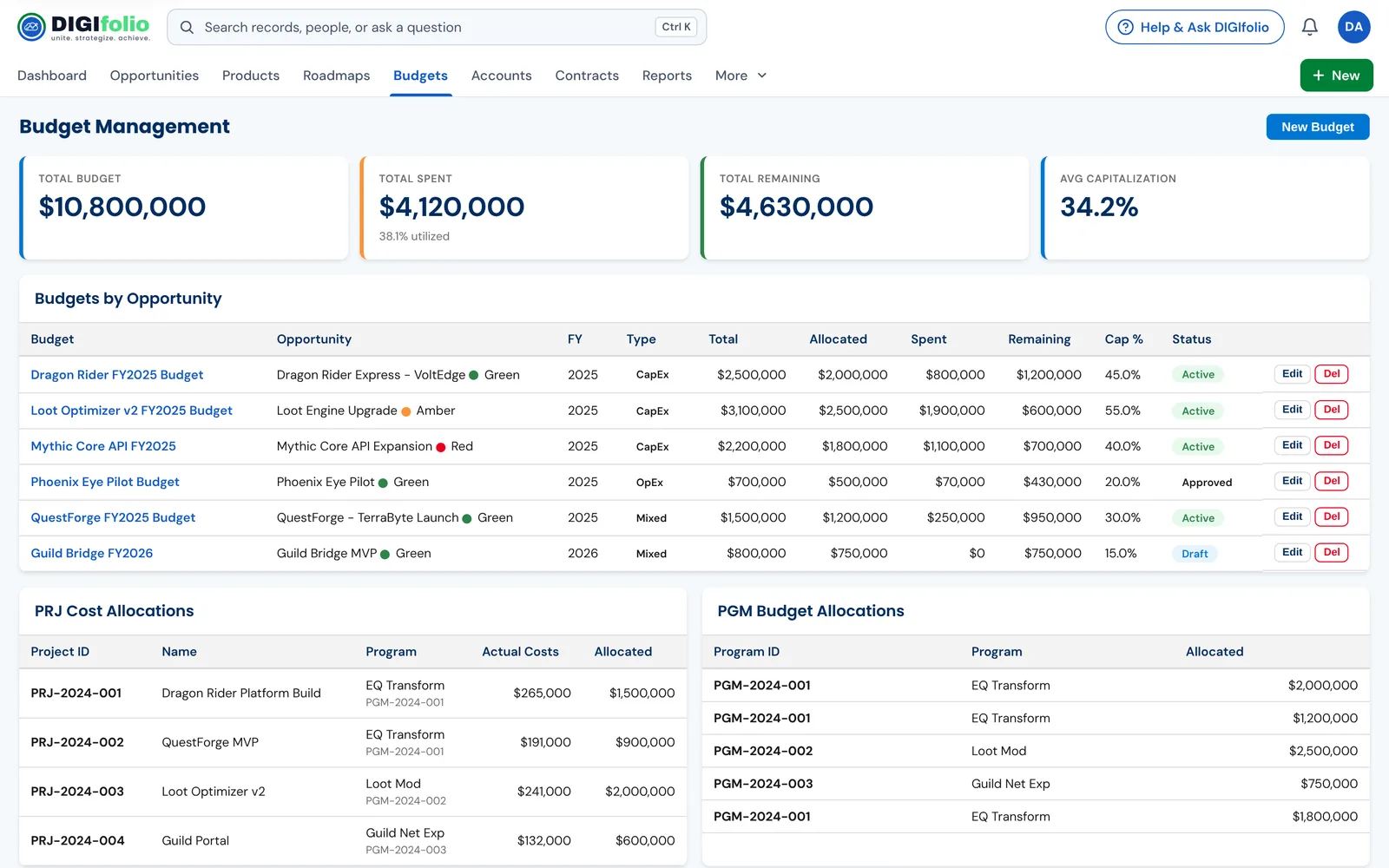
Spend linked to budgets
Budgets show allocated, spent and remaining, with project and program allocations alongside.
A typical week
- Create the vendor as an account and add its contacts.
- Attach contracts with type, value, dates and renewal terms, and upload the signed documents.
- Link the contract to the opportunities and budgets it supports.
- Review the 90-day expiry list every month and log negotiation activity.
What changes
- Renewals handled on your schedule, not the vendor’s.
- Vendor spend visible against the products and programs it funds.
- Vendor dependencies flagged to delivery teams before they block a release.
Dashboards you will use most
Ready on day one. Filter, drill into the records behind any number, export to CSV, or make your own copy.
Related roles
Give Vendor Management one place to work.
Start a 14-day free trial. No credit card required. Most teams are set up in under 15 minutes.